
There is a moment every December when the whole world seems to switch its lights on at once — trees glowing in windows, fairy lights strung across streets, and entire markets sparkling under the winter sky. That glow is exactly what makes Christmas lights AI video prompts some of the most loved festive prompts of the year. Christmas lights give an AI video generator everything it does best: warm colour against deep blue darkness, gentle motion in twinkling bulbs and falling snow, and a mood that needs no explanation — everyone who sees it feels the season instantly.
Whether you are making a family greeting, a cosy reel, a shop’s holiday ad, or a festive YouTube intro, the four prompts below will help you turn a single sentence into a clip that feels like a scene from a Christmas film. Each prompt is built around a different festive mood — the glowing tree at home, a snowy village street, a buzzing Christmas market, and a magical forest — and each one names the camera movement, the light and the atmosphere, so even a beginner gets a polished result on the first try. Copy a prompt, paste it into your favourite AI video tool, and watch the season light up.
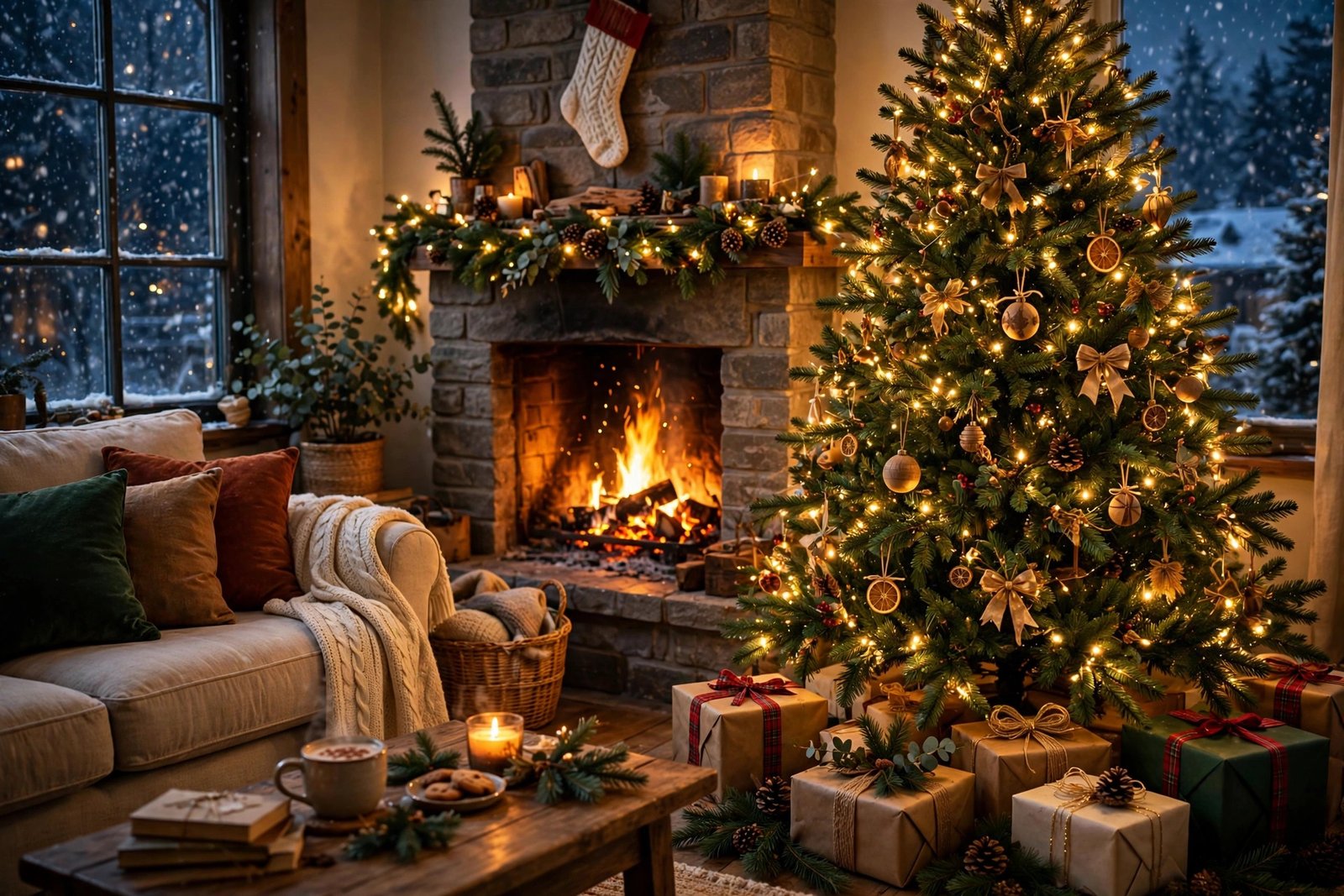
Table of Contents
- Watch Christmas Lights in London in 4K
- 1. The Christmas Tree Glow
- 2. A Snowy Village Street
- 3. The Christmas Market at Night
- 4. A Forest of Christmas Lights
- How to Use These Christmas Lights AI Video Prompts
- Frequently Asked Questions
- Conclusion
Watch Christmas Lights in London in 4K
Before you generate your own clips, study the real thing. This atmospheric 4K walk through Chelsea in London at Christmas 2026 — the illuminated star tunnel, the King’s Road lights, the glowing shop windows and the Sloane Square tree — is the perfect reference for how real Christmas lights behave on camera: warm, layered, and always brighter than the world around them. Notice how the lights reflect on wet pavements and how the camera moves slowly enough to let each display shine. Those are the details your prompts need to name.

1. The Christmas Tree Glow
No Christmas video is complete without the tree itself. This is the hero shot of the whole set: a decorated tree glowing with warm fairy lights and gold ornaments in a dark cosy room, the star on top catching the light, and soft bokeh shimmering behind it. It works beautifully as a greeting card video, a reel opener, or the closing shot of a family montage, because the tree alone tells the viewer it is Christmas — no caption needed.
“Cinematic close-up of a decorated Christmas tree glowing with warm fairy lights and gold ornaments in a dark cosy room, soft bokeh light shimmering in the background, a shining star on top of the tree, wrapped gifts visible below, slow push-in camera movement, warm golden light against deep shadows, magical and heartwarming atmosphere, photorealistic, 4K, film grain, 24fps”
Image-prompt idea: A close-up of a decorated Christmas tree glowing with warm fairy lights and gold ornaments in a dark room.
Keep the prompt focused on one subject and one light source. When you ask for warm fairy lights against a dark room, the generator leans into the glow automatically, so you do not need to list ten colours. If the first result feels too bright, add “soft glow” or “dim room” and regenerate — small changes like that fix most washed-out lights. For more cosy winter ideas, see our cozy winter bonfire night AI video prompts, which use the same warm-light-in-darkness technique.
2. A Snowy Village Street
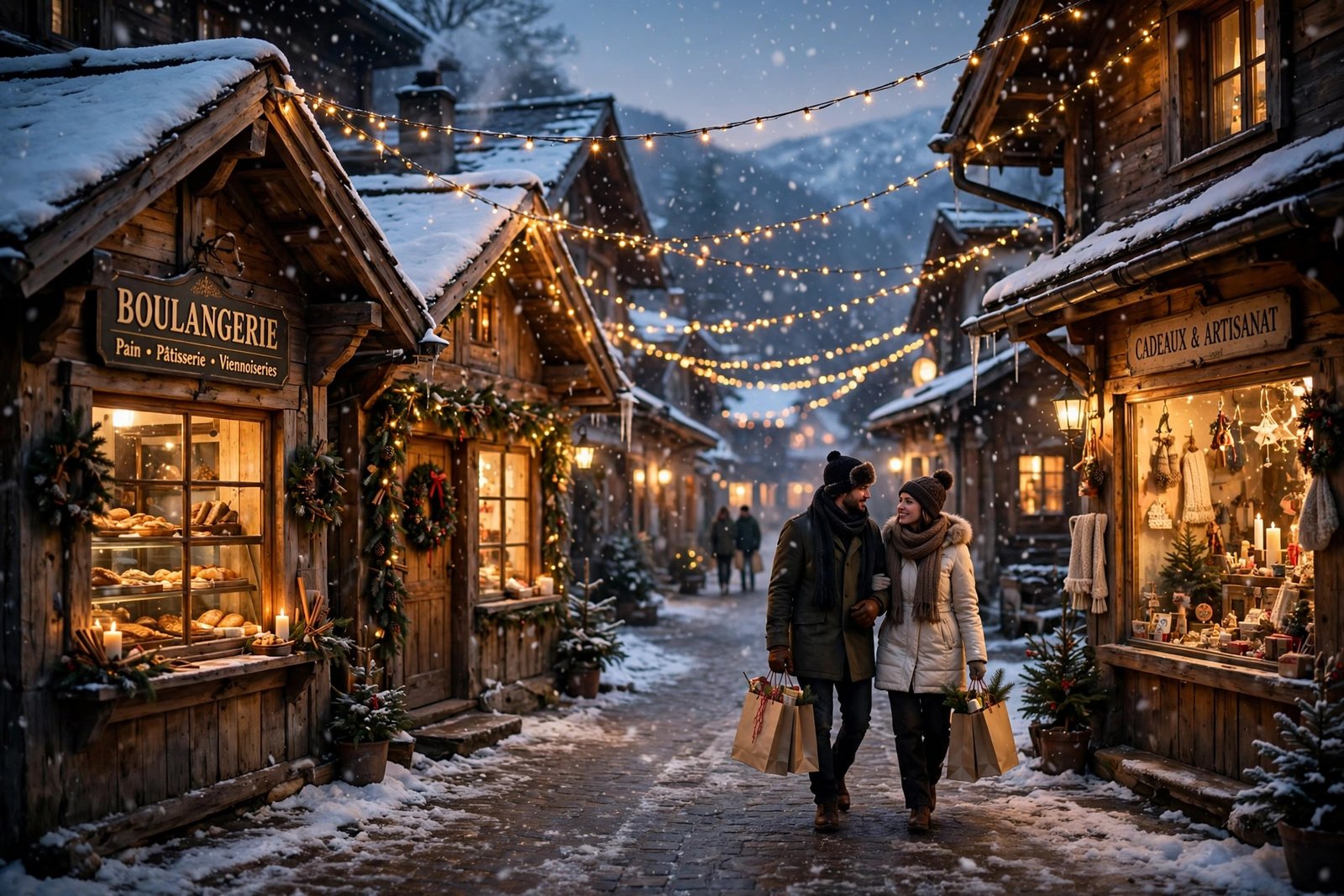
A snowy village street at dusk is Christmas in its purest form — fairy lights strung between wooden cottages, gentle snow falling, and warm light spilling out of every shop window. This prompt captures that feeling: a couple strolling with shopping bags, snow settling on rooftops, and the whole street glowing gold and blue. It is ideal for calm, dreamy content — holiday greetings, travel diaries, or any video that needs the viewer to feel the magic of the season.
“Dreamy cinematic scene of a snowy village street at dusk decorated with warm Christmas fairy lights strung between wooden cottages, gentle snow falling softly, glowing shop windows, a couple walking slowly with shopping bags, wreaths on the doors, slow tracking shot following the couple down the street, warm golden light against deep blue dusk, magical and peaceful mood, photorealistic, 4K”
Image-prompt idea: A snowy village street at dusk with fairy lights strung between cottages, snow falling and glowing shop windows.
Winter prompts work best when you name the light first — “warm golden light against deep blue dusk” tells the model the whole colour palette in a few words. Avoid asking for crowds here; the magic of this shot is the quiet. If your tool supports it, set the clip length to 10 seconds so the slow tracking shot has time to breathe. If you love snowy scenes, our snowy mountain cabin AI video prompts use the same dusk-and-snow approach.
3. The Christmas Market at Night
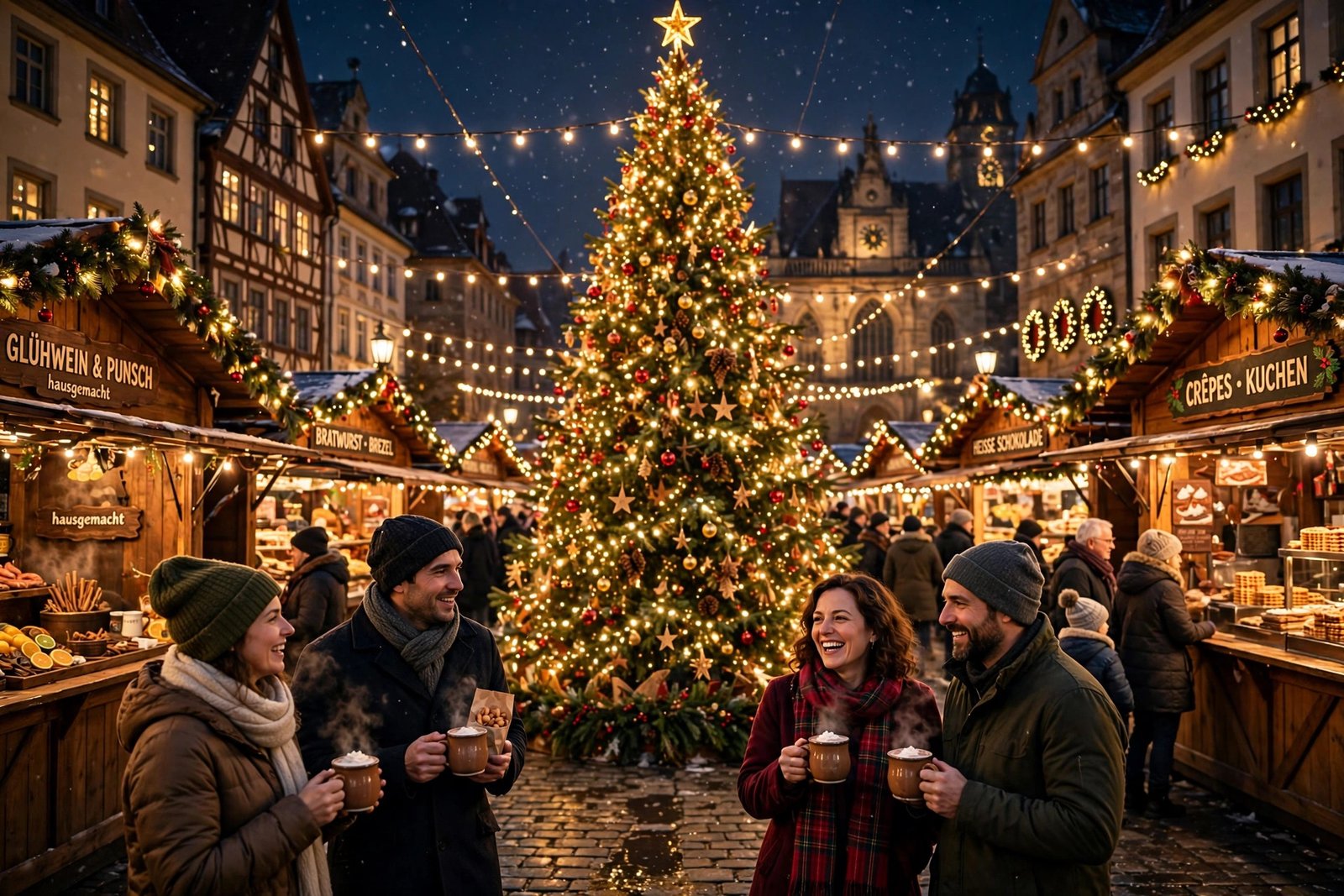
The Christmas market is the liveliest festive scene of all — rows of wooden stalls strung with lights, a giant illuminated tree in the centre, steam rising from mugs of hot chocolate, and people laughing in the cold. This prompt is built to capture that energy: warm light everywhere, movement in every corner, and the feeling of a celebration. It is the most joyful clip of the four, and it performs very well on Instagram and YouTube Shorts because the colour and the crowd grab the eye in the first two seconds.
“Vibrant cinematic scene of a European Christmas market at night, rows of wooden stalls strung with warm fairy lights, a giant illuminated Christmas tree in the centre of the square, people holding mugs of hot chocolate with steam rising, snowflakes drifting through the light, slow push-in camera movement through the market, rich warm tones, joyful and festive atmosphere, photorealistic, 4K, cinematic colour grading”
Image-prompt idea: A Christmas market at night with wooden stalls strung with lights, a giant illuminated tree and people holding hot chocolate.
Busy scenes can go messy fast, so always give the model one clear subject — here it is the market square with its tree, not the whole town. That single choice keeps the frame readable and the colours rich. Keep the camera move slow; a fast push-in through a crowd usually turns into a blur. Pair this clip with cheerful music and it instantly feels like you are standing in the market yourself. For more market ideas, our winter Christmas market AI video prompts cover the same festive ground from a different angle.
4. A Forest of Christmas Lights
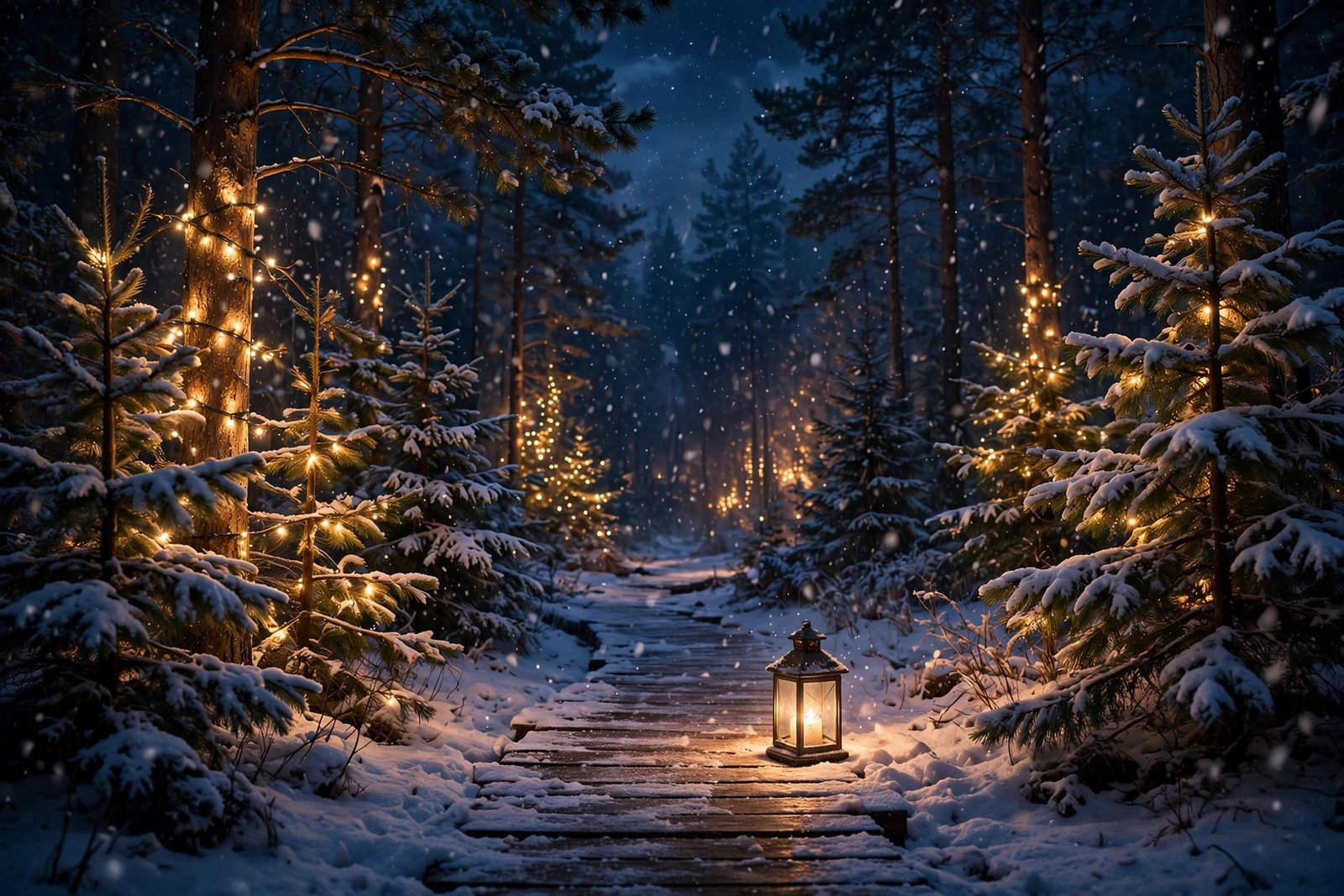
A snowy pine forest wrapped in Christmas lights is the most magical image of the season — warm bulbs glowing on dark green branches, soft snow falling, and a lantern-lit path winding into the blue night. This prompt is the most cinematic of the four: quiet, glowing, and a little bit like a fairytale. It works as a transition shot, a video ending, or a standalone mood clip for a relaxation or holiday playlist.
“Magical cinematic shot of a snowy pine forest at night with warm Christmas lights wrapped around the trees, soft snow falling gently, a glowing lantern on a wooden path winding between the trees, deep blue night sky with a few stars, slow aerial drift shot moving above the treetops, warm golden light against deep blue darkness, peaceful and enchanting atmosphere, photorealistic, 4K”
Image-prompt idea: A snowy pine forest at night with warm Christmas lights on the trees, snow falling and a lantern on a wooden path.
The trick here is the camera word: “slow aerial drift” makes the forest feel endless and dreamlike instead of flat. If your generator struggles with snow, simplify — ask for “gentle snow” rather than a blizzard, and let the lights do the work. A 5 to 8-second clip is enough; the drift does not need more time to impress.
How to Use These Christmas Lights AI Video Prompts
Using these prompts well is less about the tool and more about the workflow. Start by picking one prompt and generating it as it is written — do not edit it before the first test. Most AI video tools, such as Runway and Google Veo, let you generate a short clip from text alone, and the first result tells you what the model understood. Then change one thing at a time: the camera move, the light, or the mood word. Changing everything at once makes it impossible to know what fixed — or broke — the result.
Second, think in sequences, not single clips. A 15-second reel that opens with the glowing tree at home, walks down a snowy village street, dives into the Christmas market, and ends in a forest of lights feels like a real Christmas story, while four random clips feel like a slideshow. Keep the colour words consistent across prompts — warm gold, deep blue, soft white snow — and your clips will cut together smoothly. For a full step-by-step festive workflow, the guide on how to make a Christmas video with AI shows how to turn one photo into a snowy, twinkling clip and build a short story across several shots.
Third, always generate at the highest quality your plan allows and export in vertical 9:16 for reels and Shorts, or horizontal 16:9 for YouTube. Finally, add motion to still moments: a slow zoom in your editor can rescue a clip that feels static — and with twinkling lights, even a tiny zoom makes the glow feel alive.
- Start with the prompt as written — test first, edit second.
- Change one element per regeneration — camera, light, or mood, never all three.
- Keep colour words consistent across all four clips so they cut together.
- Export vertical for reels, horizontal for YouTube.
- Add a slow zoom in editing if a clip feels too still.
Frequently Asked Questions
Can I use these Christmas lights AI video prompts for free?
Yes. The prompts themselves are free to copy and use. You only need an account on an AI video tool, and most of them — including Runway and Google Veo — offer free credits to start with. Free plans usually add a watermark or limit resolution, so check the plan before posting commercially.
Which AI video generator works best for Christmas lights prompts?
Google Veo is a strong choice for realistic light and gentle motion, while Runway is great for cinematic camera moves. Pika is ideal for quick social-media clips. Try the same prompt in two tools and keep whichever result makes the lights twinkle most naturally — the models all render glow and snow slightly differently.
How long should each AI video clip be?
Five to ten seconds per clip is the sweet spot. That is long enough for a slow camera move to register, and short enough to hold attention on reels and Shorts. Stitch four clips together and you have a 20–40 second Christmas reel.
Can I use these videos commercially on YouTube or Instagram?
Usually yes, but it depends on the tool’s terms and your plan. Paid plans generally include commercial use, while free plans may restrict it or add a watermark. Always read the licence terms of the tool you used before monetising a video. Also use only music you have the rights to — a famous Christmas song you did not license can get your post muted or removed.
Why do my Christmas lights look flat or fake?
The most common cause is asking for too many things at once — five locations, three weather effects and a crowd. Pick one scene, one light source and one camera move, and add the words “warm glow”, “photorealistic” and “cinematic colour grading”. Also name the darkness: lights only glow when the scene around them is dark, so always include “dark room”, “deep blue dusk” or “night” in the prompt.
Can I put my own family photo into these prompts?
Yes — use image-to-video instead of text-to-video. Upload a clear photo, then write only the camera move and one or two actions, such as “slow push-in, snow falls past the window and the tree lights twinkle”. The photo fixes how everything looks, so your prompt only needs to describe what moves. Always use photos of people who have said yes to being in your video.
Conclusion
Christmas lights do something no other subject does: they turn ordinary darkness into warmth, and a simple prompt into a feeling. With these four Christmas lights AI video prompts — the glowing tree at home, a snowy village street, a buzzing Christmas market and a forest full of lights — you have a complete festive mini-film in your pocket. Copy one prompt, generate it, and build your reel scene by scene. The season is short, so start today — and tell us in the comments which Christmas lights mood performed best for you.