There is something about a Christmas market that instantly feels like a movie scene. The warm glow of fairy lights against cold blue snow, the smell of roasted chestnuts drifting through the air, the sound of laughter around a skating rink — it is no wonder that Christmas market AI video prompts are among the most searched festive prompt ideas every winter. Creators use them for YouTube ambience videos, Instagram reels, holiday greetings, brand ads, and cozy background loops that people leave playing for hours.
The good news is that you do not need a film crew, a plane ticket to Europe, or a snow machine to capture that magic. Modern AI video tools can turn a well-written paragraph into a glowing winter scene in minutes. The difference between a flat, generic clip and a video that makes people stop scrolling is almost always the prompt: the light, the camera movement, the small human details, and the mood. That is exactly what this post gives you.
Below you will find four complete, copy-paste-ready Christmas market AI video prompts, each with its own matching image idea, plus practical tips for getting the best results from tools like Runway, Kling, Pika, and Google Veo. If you love cozy seasonal content, you will also enjoy our cozy winter bonfire night AI video prompts and our autumn fall foliage AI video prompts for the rest of the year.
Table of Contents
- Why Christmas Market Videos Perform So Well
- 4 Christmas Market AI Video Prompts
- Prompt 1: Snowy Stalls at Dusk
- Prompt 2: Ice Skating Under the Lights
- Prompt 3: The Gingerbread Stall
- Prompt 4: The Vintage Carousel in Falling Snow
- How to Get the Best Results From Your Prompts
- Watch: A Real Christmas Market in Strasbourg
- Frequently Asked Questions
- Conclusion
Why Christmas Market Videos Perform So Well
Christmas markets hit a rare combination of emotions: nostalgia, warmth, wonder, and comfort. Viewers associate them with childhood holidays, family trips, and the feeling of being safe and warm while it snows outside. That emotional pull is why festive ambience videos rack up millions of views every December, and why brands lean so heavily on market imagery in their holiday campaigns.
For AI video creators, Christmas markets are also a forgiving subject. The scene is naturally full of light sources, colour contrast, and gentle motion — falling snow, steaming drinks, twinkling lights — which gives the AI plenty of beautiful movement to work with. Even a short 5-second clip can feel rich and alive if the prompt names the right details. The prompts below are written to do exactly that: they describe light, weather, camera, and human moments, so the generator has a clear picture to build from.
4 Christmas Market AI Video Prompts
Prompt 1: Snowy Stalls at Dusk

Copy-paste prompt:
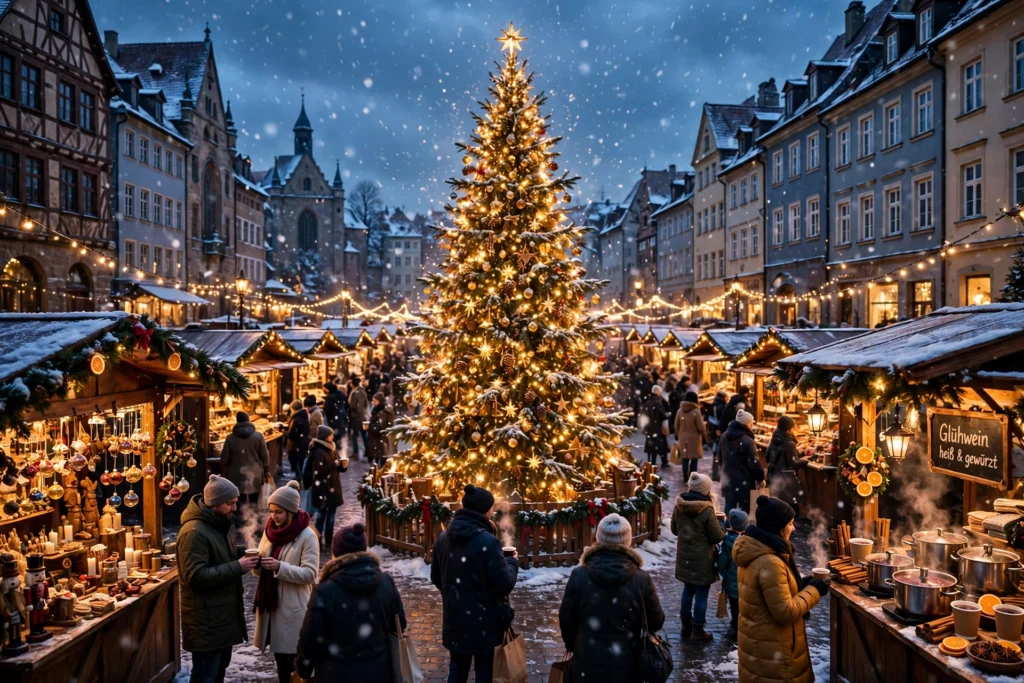
Cinematic wide shot of a magical European Christmas market at dusk in gently falling snow, rows of wooden stalls strung with warm golden fairy lights, steam rising from cups of mulled wine held by smiling shoppers in wool coats and knitted scarves, a giant glowing Christmas tree standing in the center of the square, snowflakes drifting slowly through the golden light, children pointing excitedly at hand-painted ornaments, soft bokeh from the lights in the background, slow cinematic push-in camera movement, photorealistic detail, rich contrast between warm amber light and cool blue twilight, cozy festive atmosphere, 4K quality, no text, no watermark.
Why it works: This is your establishing shot — the one that sets the whole scene. The contrast between warm stall light and cold twilight is what makes Christmas footage look cinematic, and the slow push-in gives the clip a gentle, professional feel. Use it as the opening of a longer video or as a standalone ambience loop.
Prompt 2: Ice Skating Under the Lights

Copy-paste prompt:
Joyful outdoor ice skating rink beside a Christmas market at night, happy skaters of all ages gliding gracefully across the shining ice, some holding hands and laughing, strings of warm glowing lights crisscrossing overhead, gentle snow falling through the light, wooden market stalls and a tall decorated Christmas tree glowing softly in the background, a child wobbling adorably while holding a parent’s hand, smooth slow tracking camera shot following the skaters, festive cinematic atmosphere, photorealistic, sparkling reflections on the ice, magical winter evening mood, no text, no watermark.
Why it works: Movement sells video, and skating gives you natural, graceful motion in every frame. The reflections on the ice double the light in the scene, which makes the whole clip sparkle. This prompt is perfect for reels and Shorts, where joyful motion in the first second stops the scroll.
Prompt 3: The Gingerbread Stall
Copy-paste prompt:
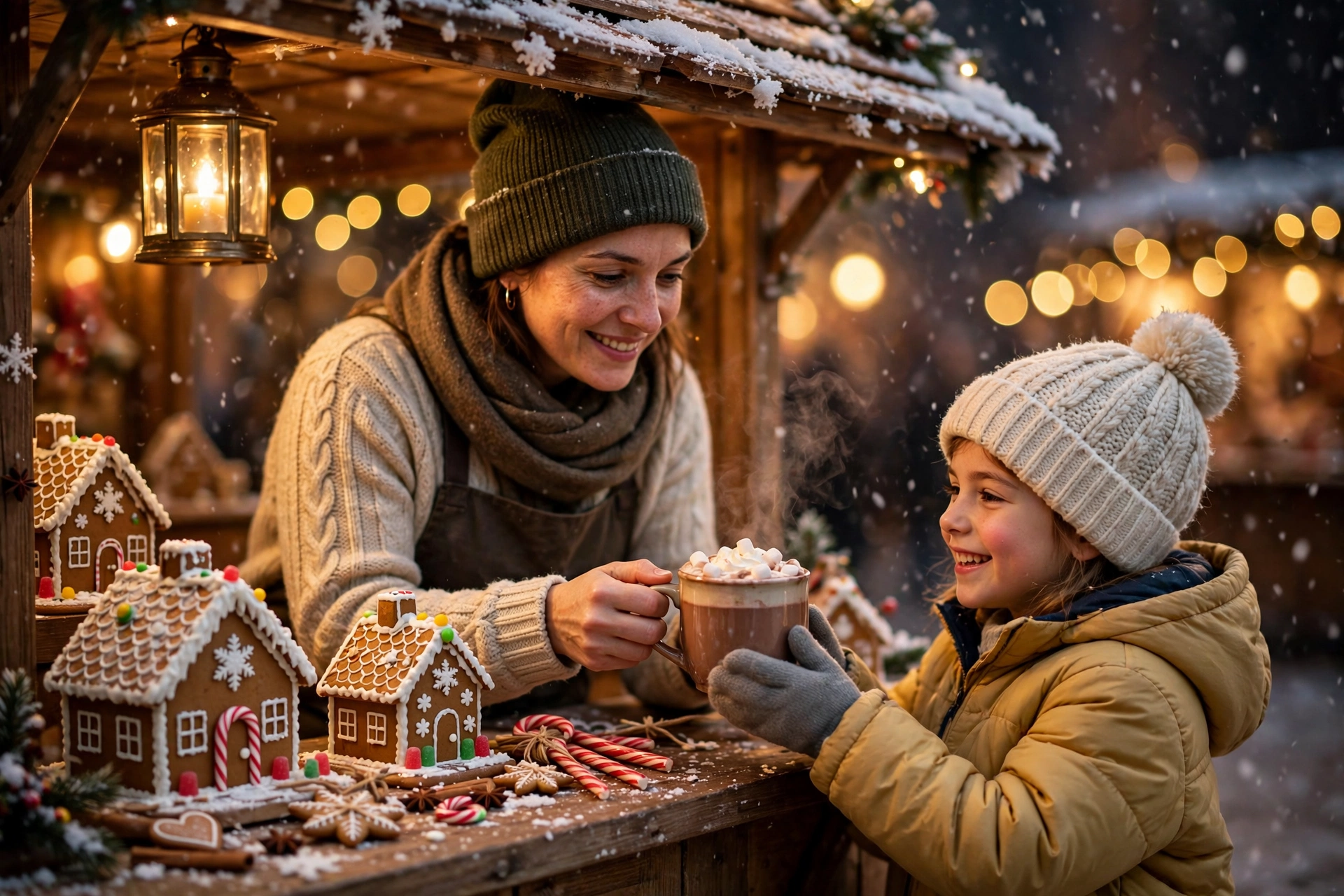
Heartwarming close-up scene at a cozy Christmas market gingerbread stall at night, a kind elderly vendor in a knitted apron handing a steaming mug of hot chocolate topped with whipped cream to a delighted child in a red winter coat, gingerbread houses, candy canes, and star-shaped cookies displayed on rustic wooden counters, warm lantern light glowing on everyone’s faces, delicate snowflakes settling on the striped stall roof, shallow depth of field with blurred golden fairy lights sparkling behind them, slow gentle camera drift, photorealistic, intimate festive storytelling, no text, no watermark.
Why it works: Close-ups create emotion. While wide shots show the market, this prompt zooms in on a single human moment — a gift of warmth on a cold night. That is the kind of clip viewers remember and share, and it works beautifully as the emotional centre of a holiday video or ad.
Prompt 4: The Vintage Carousel in Falling Snow
Copy-paste prompt:
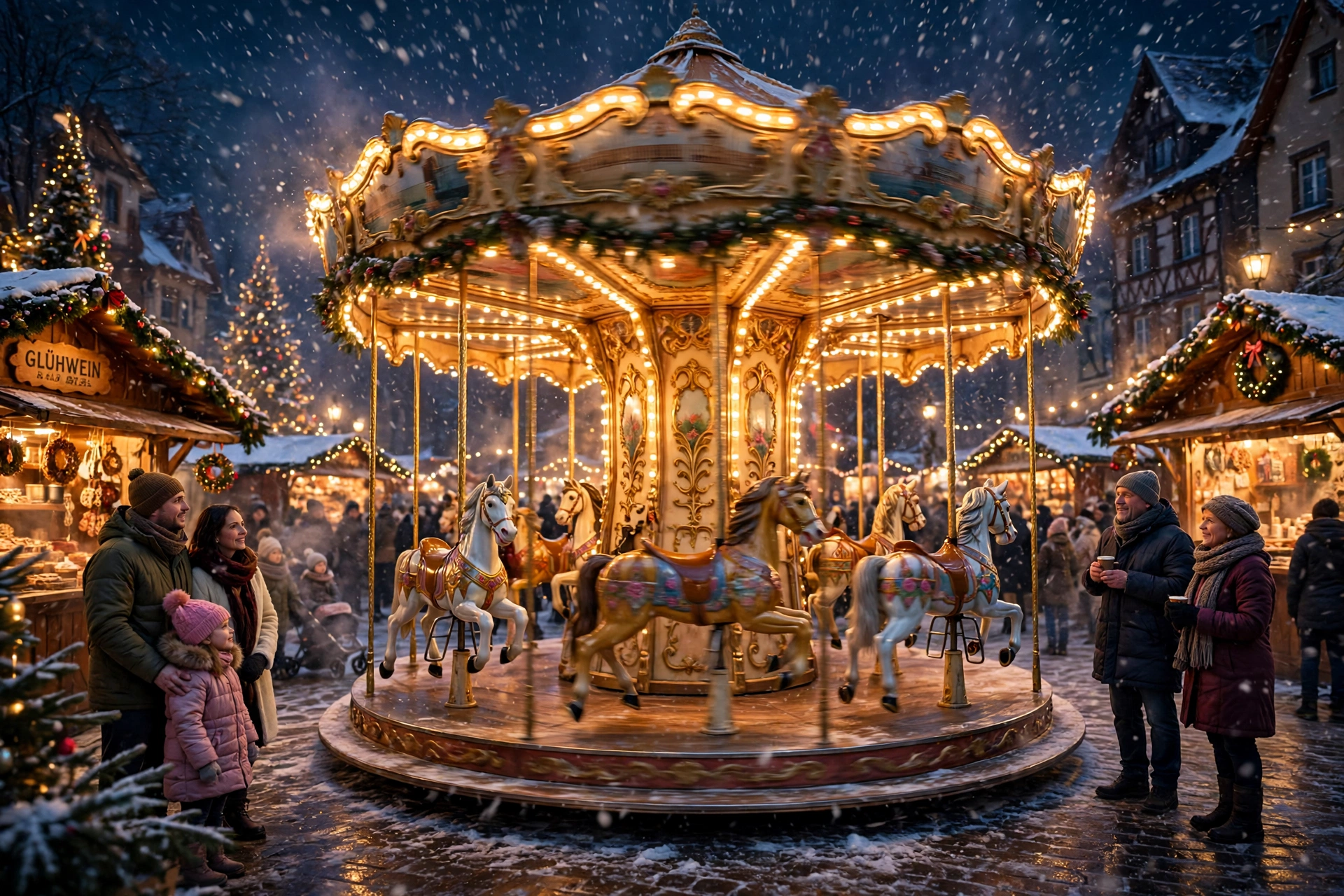
A beautiful vintage carousel spinning slowly at a snowy Christmas market at night, ornate painted horses with golden poles rising and falling gracefully, warm glowing bulbs outlining the carousel roof, families watching with wonder from behind a low wooden fence, snow drifting lazily through the golden light, festive garlands and red ribbons decorating the surrounding stalls, dreamy slow orbiting camera movement circling the carousel, cinematic wide shot, photorealistic, magical nostalgic winter evening, soft film grain, no text, no watermark.
Why it works: The carousel is pure nostalgia, and the slow orbit camera move makes the clip feel like a professional film shot rather than a static image. The combination of circular motion, falling snow, and warm light is hypnotic — ideal for looping ambience videos and dreamy holiday edits.
How to Get the Best Results From Your Prompts
Writing a great prompt is only half the job. These practical tips will help you get cleaner, more consistent results from whichever AI video tool you use.
Keep one hero subject per clip. AI generators handle a single clear subject — one stall, one rink, one carousel — far better than a scene stuffed with ten ideas. If a result looks messy, split it into two simpler prompts.
Name the light before anything else. “Warm fairy lights against cold blue twilight” tells the model more than a page of adjectives. Light is what makes Christmas footage feel like Christmas, so always describe it first.
Direct the camera. A slow push-in, a gentle orbit, or a tracking shot gives the AI a motion plan. Without camera direction, many tools default to a static or jittery frame.
Use negative prompts where supported. Adding “no text, no watermark, no distorted faces” at the end prevents the most common AI artefacts, especially garbled signs on market stalls.
Generate, then extend. Most tools produce 5–10 second clips. Generate your best scene, then use image-to-video or clip extension to stretch it, rather than asking for a long complex shot in one go. For more festive inspiration, see this guide to Christmas video writing prompts and this cinematic Christmas prompt for Veo.
Match your music. A gentle instrumental carol or soft piano track instantly makes a good clip feel finished. Keep the volume low for ambience videos — the visuals should lead.
If you enjoy morning-light scenes too, try our Indian village morning AI video prompts for a completely different kind of warmth.
Watch: A Real Christmas Market in Strasbourg
Before you generate your own version, watch how a real Christmas market moves — the pace of the crowds, the way the lights reflect on wet cobblestones, the unhurried feeling of the evening. Study it, then borrow that rhythm for your prompts.
Frequently Asked Questions
What are Christmas market AI video prompts?
Christmas market AI video prompts are written descriptions that tell an AI video generator what festive market scene to create — the stalls, lights, snow, people, camera movement, and mood. A detailed prompt produces a much more realistic and atmospheric clip than a vague one like “Christmas market.”
Which AI video tool is best for Christmas market videos?
Runway, Kling, Pika, and Google Veo all handle festive scenes well. Kling and Runway are strong on realistic lighting and snow, while Pika is popular for short social-media clips. Try the same prompt in two tools and compare — results vary, and the best tool is often the one whose style you prefer.
How long should a Christmas market AI video prompt be?
Aim for 60–120 words. That is long enough to describe the scene, lighting, camera, and mood, but short enough that the model does not get confused. Every prompt in this post sits in that sweet spot.
Can I use AI-generated Christmas videos commercially?
It depends on the tool’s terms of service and your subscription plan. Most paid plans allow commercial use, while free tiers may restrict it. Always check your tool’s licence before using a clip in a paid ad or client project.
Why does my AI Christmas video have garbled text on the stalls?
AI models still struggle with readable text, especially on signs and packaging. Add “no text” to your prompt, or keep signs small and blurred in the background. You can also add clean titles later in your video editor.
How do I make a looping Christmas ambience video?
Generate a clip with steady, gentle motion — falling snow and twinkling lights work best — then trim the start and end frames in your editor so the motion matches, and crossfade the join. A 10-second seamless loop can play for hours without viewers noticing the repeat.
Conclusion
A great Christmas market video is not about expensive equipment or a trip to Europe — it is about describing the feeling of being there: warm light against cold snow, steam rising from a shared drink, laughter on the ice, and the slow spin of a carousel under falling flakes. These Christmas market AI video prompts give you that feeling in copy-paste form, ready for your next reel, ambience video, or holiday project.
Start with the snowy stalls at dusk as your opening shot, add the ice rink for energy, the gingerbread stall for heart, and the carousel for pure magic. Then tweak the details — your town, your colours, your camera move — until the scene feels like yours. Happy creating, and happy holidays!
Pingback: Snowy Mountain Cabin AI Video Prompts