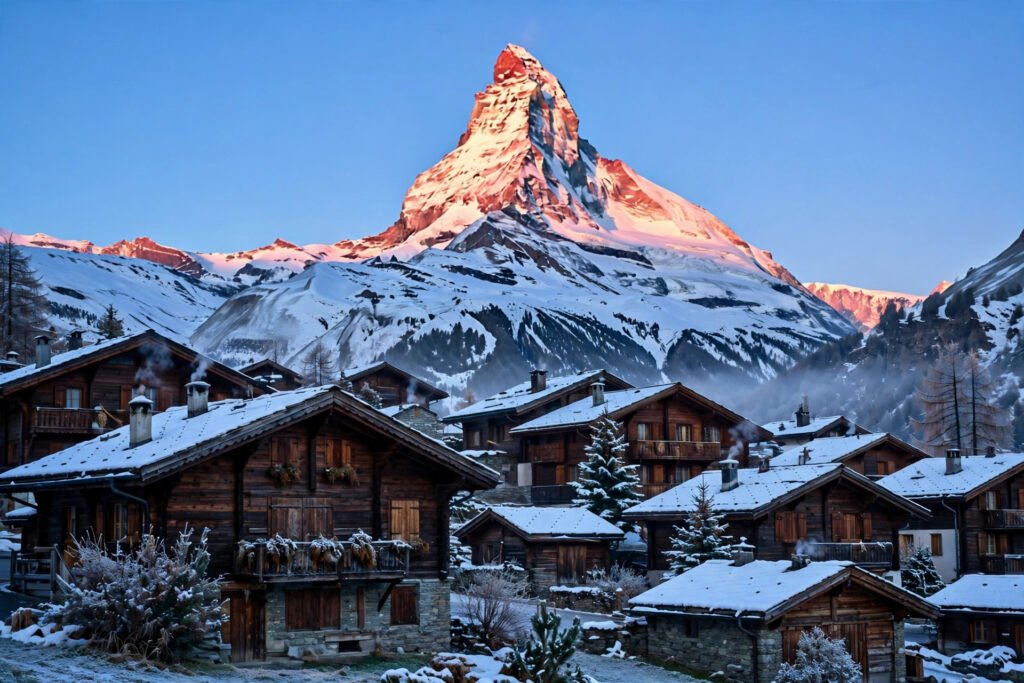
Few mountains are as instantly recognisable as the Matterhorn. Its near-perfect pyramid rises 4,478 metres above the car-free village of Zermatt, and on a clear morning the rising sun paints its east face pink and gold — a moment photographers call the alpenglow. These Matterhorn AI video prompts help you recreate that drama in AI-generated travel videos, from the village streets to the glacier at 3,883 metres.
Each prompt below is built around a real Zermatt experience: sunrise over the village, the Gornergrat rack railway, the mirror reflection at Riffelsee, the ice world of Matterhorn Glacier Paradise and the Five Lakes Walk. Copy them as they are, or adapt the camera moves to your own video tool.
Table of Contents
- 1. Sunrise Over Zermatt Village
- 2. The Gornergrat Railway Climb
- 3. The Riffelsee Mirror Reflection
- 4. Matterhorn Glacier Paradise & the Five Lakes Walk
- Tips for Better Matterhorn AI Videos
- Watch: Zermatt in Motion
- Frequently Asked Questions
- Conclusion
1. Sunrise Over Zermatt Village
Zermatt sits at 1,620 metres at the head of a valley that simply stops — no private cars are allowed in, and the only way on is a rack railway or cable car. That car-free quiet is part of the magic at dawn, when the village’s timber chalets sit still under the glowing pyramid of the Matterhorn. This is the opening shot your video needs.
Copy-paste prompt:
Cinematic video of Zermatt village in Switzerland at sunrise, with the pyramid-shaped Matterhorn mountain glowing pink and gold in alpenglow behind the village. Traditional wooden chalets with snow-dusted roofs line a quiet cobbled street, church bells towers in the distance, and thin mist drifts through the valley. Slow aerial push-in from above the rooftops toward the Matterhorn, then a gentle descent to street level. Crisp alpine light, photorealistic, 4K travel film, warm cinematic colour grading, no text, no watermark.
Image-prompt idea: A sunrise photograph of Zermatt’s wooden chalets with the Matterhorn glowing pink-orange behind the village under a clear blue sky.
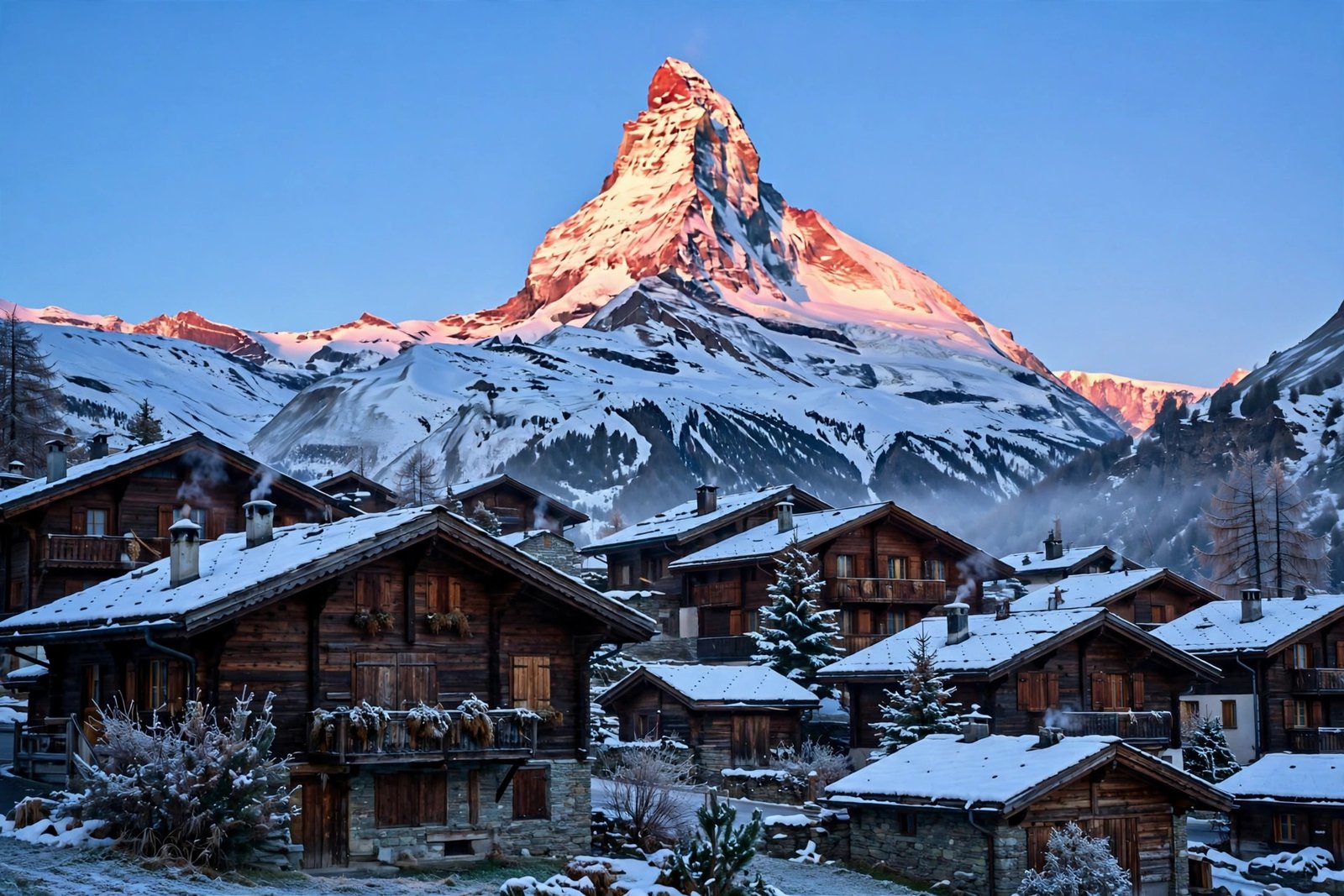
Why it works: Alpenglow is a real, famous phenomenon — the first light catching the summit while the village is still in shadow — so naming it in the prompt pushes the generator toward that pink-gold palette instead of flat daylight. The slow push-in is a simple, stable camera move that keeps the mountain’s geometry clean.
For more alpine scenery, try our Swiss Alps train journey AI video prompts — the same mountain light works across the whole region.
2. The Gornergrat Railway Climb
The Gornergrat Bahn is Europe’s highest open-air cogwheel railway, climbing from Zermatt station to 3,089 metres in about 33 minutes. At the top you get the classic Matterhorn view across the valley, with the Gorner Glacier — the Alps’ second-largest — stretching below and 29 four-thousand-metre peaks visible on a clear day. A moving train against that backdrop is pure travel-film material.
Copy-paste prompt:
Cinematic video of the red Gornergrat cogwheel railway train climbing through snowy alpine meadows above Zermatt, Switzerland, the Matterhorn peak towering in the background. The train curves along the mountainside track, pine trees and patches of snow pass by, and the glacier valley opens up behind it. Smooth tracking shot moving alongside the train, then a slow pull-back to reveal the full mountain panorama. Bright alpine daylight, photorealistic, 4K, no text, no watermark.
Image-prompt idea: A photograph of the red Gornergrat train climbing through snowy meadows with the Matterhorn towering behind it.

Why it works: A train moving along a track is one of the most reliable subjects for AI video — the motion is linear and predictable, so the model rarely warps the subject. The red train against white snow and blue sky also gives the scene a strong colour anchor that keeps the render consistent from frame to frame.
Practical detail: a return ticket from Zermatt to Gornergrat costs around CHF 132 in summer, half price with a Half-Fare card or Swiss Travel Pass. The guide at Riviera Host has the current 2026 fares and a clear comparison of Gornergrat versus Glacier Paradise.
3. The Riffelsee Mirror Reflection
Riffelsee is a small alpine lake a short walk from Rotenboden station on the Gornergrat line, and on a calm morning it holds a perfect mirror image of the Matterhorn. It is the most photographed reflection in Switzerland — and one of the easiest “wow” shots to generate, because still water and a symmetrical mountain are exactly what AI video handles best.
Copy-paste prompt:
Cinematic video of Riffelsee lake near Zermatt, Switzerland, at dawn. Perfectly still mirror-like water reflects the Matterhorn mountain in complete symmetry, golden sunrise light touches the summit, small alpine wildflowers dot the shore, and a few patches of snow remain on the rocks. Very slow forward drift across the water toward the reflection, almost no camera shake. Serene, photorealistic, 4K, soft golden light, no text, no watermark.
Image-prompt idea: A dawn photograph of Riffelsee with the Matterhorn reflected perfectly in the still water, golden light on the summit and wildflowers on the shore.

Why it works: Still water is forgiving — there is no complex motion for the model to invent. The key words are “perfectly still” and “very slow drift”; they stop the generator from adding ripples or waves that would break the mirror effect. If the reflection looks doubled or wobbly, shorten the prompt to just the lake, the mountain and the light.
If reflections are your thing, our Maldives AI video prompts use the same still-water technique for tropical lagoons.
4. Matterhorn Glacier Paradise & the Five Lakes Walk
This prompt pairs two experiences. Matterhorn Glacier Paradise sits at 3,883 metres — the highest cable-car station in Europe — with a viewing platform, a 360-degree panorama and an ice cave carved into the Theodul Glacier. The Five Lakes Walk, meanwhile, is the classic summer hike from the Gornergrat side, passing Stellisee, Grindjisee and Leisee, each with its own Matterhorn reflection. Together they give your video a high-altitude climax and a gentle hiking finish.
Copy-paste prompt:
Cinematic video of Matterhorn Glacier Paradise in Zermatt, Switzerland. A modern cable car glides above a vast white glacier toward the highest cable-car station in Europe at 3,883 metres, snow-covered peaks stretch to the horizon in every direction, and the entrance to a glowing blue ice cave is visible below the viewing platform. Slow aerial follow of the cable car, then a wide panoramic sweep across the glacier. Crisp, bright alpine light, photorealistic, 4K, no text, no watermark.
Image-prompt idea: A photograph of a cable car gliding above the glacier toward Matterhorn Glacier Paradise, with snow peaks in every direction and a blue ice cave below.

Copy-paste prompt (Five Lakes Walk):
Cinematic video of a hiker walking the Five Lakes Trail near Zermatt, Switzerland, on a bright summer day. The trail passes a small alpine lake with the Matterhorn reflected in its calm surface, wildflowers and green meadows line the path, and snow-capped peaks fill the distance. Slow tracking shot following the hiker from behind, then a gentle rise to a wide view of the lake and the mountain. Fresh, sunny, photorealistic, 4K, no text, no watermark.
Image-prompt idea: A summer photograph of a hiker on the Five Lakes Walk trail beside Stellisee lake, the Matterhorn reflected in the water and wildflowers along the path.

Why it works: The cable car shot gives you scale — a tiny cabin against a huge glacier — while the hiking shot gives you a human story. Both use slow, single-direction camera moves, which is the golden rule for mountain AI video. Note the honest detail too: the Matterhorn is not always visible, and cloud sits on the summit more often than postcards suggest, so a partly cloudy version of these prompts can look more real than a perfect blue-sky render.
Tips for Better Matterhorn AI Videos
- Name the altitude. Writing “3,089 metres” or “3,883 metres” in a prompt nudges the generator toward thin-air brightness and snow-line realism instead of generic green hills.
- Use alpenglow, not noon. The Matterhorn’s east face glows pink and gold for a few minutes at sunrise. Ask for “alpenglow” or “golden sunrise light” rather than “sunny day” and your renders will look dramatically better.
- Keep people small. A tiny hiker or a distant train gives scale without giving the model a face to distort. If a person fills the frame, the hands and face are usually the first things to break.
- Mind the weather. Zermatt’s cable cars can close in high wind, while the Gornergrat railway rarely suspends. A prompt that mentions “light cloud drifting across the summit” looks more authentic than endless blue sky.
- Check real prices before you caption. Fares change by season — Gornergrat return is roughly CHF 100–132 and Glacier Paradise roughly CHF 150–165 at full fare. The practical guide at Lucerne Trip explains the train from Lucerne, the car-free village rules and which pass discounts actually apply.
Watch: Zermatt in Motion
Watch a real Zermatt travel video before you render — the train ride in, the village streets, the Riffelsee reflection and the Glacier Paradise cable car in sequence. It is the best pacing reference for your AI version.
Frequently Asked Questions
What are Matterhorn AI video prompts? Matterhorn AI video prompts are ready-made text instructions you paste into an AI video generator to create cinematic alpine clips of the Matterhorn and Zermatt — sunrise over the village, the Gornergrat railway, lake reflections and the Glacier Paradise cable car — without travelling to Switzerland.
Which AI video tools work best with these prompts? Any text-to-video tool with a cinematic or photorealistic mode works well. Tools that let you set a 16:9 aspect ratio and a slow camera speed handle the drone and tracking moves in these prompts most reliably.
How long should each Matterhorn AI video clip be? Five to ten seconds per scene is ideal. Render the four scenes separately and stitch them together in CapCut or a similar editor, with the sunrise shot first and the glacier shot as the climax.
Can I use these Matterhorn videos for YouTube and Instagram Reels? Yes. Render 16:9 for YouTube travel videos and 9:16 vertical for Shorts and Reels. The prompts work in both formats — just set the aspect ratio before you generate.
When is the best time to visit Zermatt in real life? Late June to September for hiking and the Five Lakes Walk; December to April for skiing. July and August are the busiest and priciest weeks, and the Matterhorn is often hidden by cloud even on a fine day, so plan at least two nights.
Why does my AI mountain video look warped? Mountains warp when the prompt asks for fast or complex camera movement. Keep it to one slow move — a push-in, a drift or a tracking shot — and name the light (“alpenglow”, “golden sunrise”) instead of adding extra subjects.
Is Zermatt really car-free? Yes. Zermatt has banned combustion-engine cars since the early 20th century. Visitors park at Täsch and take a shuttle train, and only electric taxis and hotel shuttles run in the village — which is why the streets in your video should show walkers, not traffic.
Conclusion
The Matterhorn does not need embellishment — a pyramid of rock at 4,478 metres, a red train climbing to 3,089 metres, a lake that mirrors the whole scene and a cable car that tops out at 3,883 metres. With these four Matterhorn AI video prompts, you can build a complete alpine film that moves from sunrise in a car-free village to the top of Europe’s highest cable-car station. Render slowly, keep one camera move per clip, and let the mountain’s own light do the work. Your audience will feel the altitude before they read the caption.
Want more mountain videos? Our Swiss Alps train journey AI video prompts cover the wider region, and the Interlaken Trip comparison explains Gornergrat versus Glacier Paradise in detail.