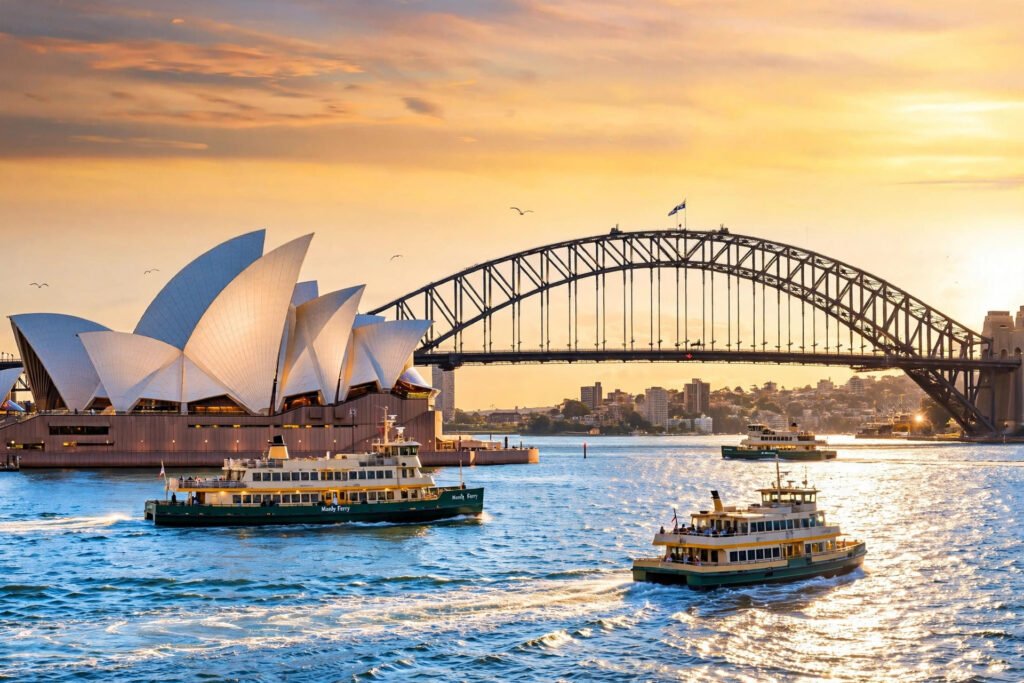
Sydney AI video prompts let you capture one of the most beautiful harbours on Earth without ever boarding a plane. White sails against blue water, a steel arch cutting across a pink dawn sky, surfers at Bondi, and a skyline that glows like jewellery at night — Sydney is a city built for the camera. And modern AI video tools like Google Veo, OpenAI Sora, and Kling have learned this city well, which means a single well-written prompt can now produce a clip that looks like it was shot by a professional drone crew. In this post, you get four copy-paste Sydney AI video prompts, each written as a proper shot list with subject, action, camera movement, lens, lighting, and mood, so you can generate cinematic Sydney footage in minutes.
Table of Contents
- Why Sydney Is Perfect for AI Video
- How to Use These Sydney AI Video Prompts
- Prompt 1: Sydney Opera House at Sunset — Golden Sails
- Prompt 2: Harbour Bridge at Dawn — Epic Drone Crossing
- Prompt 3: Bondi Beach Morning — Surf and Salt Air
- Prompt 4: Sydney Night Skyline — Harbour Lights
- Watch: Sydney in 8K — Waterfront Majesty
- Pro Tips for Realistic Sydney AI Videos
- Frequently Asked Questions (FAQ)
- Conclusion
Why Sydney Is Perfect for AI Video
Sydney works beautifully for AI video for three reasons. First, its landmarks are simple, bold shapes: the Opera House sails, the Harbour Bridge arch, the curve of Bondi Beach. AI video models reproduce bold, simple geometry far more reliably than fussy detail, so your generations come out clean and recognisable. Second, the city is drenched in natural light. Sydney gets more than 300 days of sunshine a year, and that bright, high-contrast Australian light is exactly what makes AI-generated footage look crisp instead of muddy. Third, water is everywhere. The harbour, the ocean, the pools — moving water gives every clip natural motion, and AI models are genuinely good at animating waves, reflections, and sparkling light on water.
Put those three things together and you get a city where almost any prompt works on the first or second try. That is why Sydney AI video prompts are a favourite among travel creators: the subject is instantly recognisable around the world, the audience already dreams of visiting, and the clips perform brilliantly on YouTube, Instagram, and TikTok.
How to Use These Sydney AI Video Prompts
Paste each prompt exactly as written — the camera direction, lens, and lighting details are doing real work, and trimming them makes the result weaker. Choose your aspect ratio before you generate: 16:9 for YouTube, 9:16 for Reels and Shorts. If your tool supports image-to-video, use the image prompt idea under each prompt to generate a still first, then animate it; this gives you much tighter control over the composition than text-to-video alone. Keep one subject and one camera move per clip, and build longer videos by stitching four to six short clips together with hard cuts. Finally, ground your scenes in real places: the official Sydney tourism site at sydney.com lists the exact locations, walks, and viewpoints used in these prompts, so your video feels researched and real rather than generic.
Prompt 1: Sydney Opera House at Sunset — Golden Sails
The Prompt (copy-paste ready)
“Slow cinematic dolly-in on the Sydney Opera House at sunset, Australia. Warm pink and orange light washes over the white shell sails as people stroll along Circular Quay in the foreground and harbour water shimmers with reflections. The camera moves gently closer, holding the sails in the centre of the frame. 50mm lens feel, shallow depth of field, golden-hour colour grade, warm and elegant mood, photorealistic, 4K, 16:9. Ambient sound: soft waves, distant chatter, gulls calling.”
Why This Prompt Works
The Opera House is the most photographed building in Australia, and this prompt treats it like the star it is: centre frame, slow approach, nothing competing for attention. The dolly-in is the safest camera move in AI video — smooth, slow, and continuous — which is why this prompt almost always works on the first generation. The golden-hour light does the emotional work, turning white concrete into something warm and almost alive, while the people on the quay give the shot scale and life without becoming the subject. Use this clip as the opening shot of your Sydney video, or as the hero image of a travel post.
Image Prompt Idea
“Close view of the Sydney Opera House sails at sunset, warm pink and orange light on the white shell roofs, people strolling along Circular Quay, harbor water reflecting the light, cinematic photorealistic, 16:9.”

Prompt 2: Harbour Bridge at Dawn — Epic Drone Crossing
The Prompt (copy-paste ready)
“Epic aerial drone shot of the Sydney Harbour Bridge at dawn, Australia. The camera flies low and slow alongside the great steel arch, silhouetted against a pink and gold sky, while a ferry passes underneath trailing white wake across the calm harbour. The city skyline wakes up in the distance. Slow majestic lateral flight, wide-angle lens, warm dawn colour grade, cinematic scale, photorealistic, 4K, 16:9. Ambient sound: soft wind, water, distant ferry horn.”
Why This Prompt Works
The Harbour Bridge is pure geometry — one enormous arch — and AI models love geometry. The lateral drone flight keeps the bridge in frame the whole time, which means the model never has to invent a new angle mid-clip, the most common cause of warped AI footage. The ferry underneath is the secret ingredient: it adds movement, scale, and a white wake line that leads the eye through the frame. Dawn light keeps the colours soft and forgiving, which hides small generation flaws far better than harsh midday sun. This is your epic shot — place it in the middle of your video when the music swells.
Image Prompt Idea
“Sydney Harbour Bridge at dawn, dramatic low-angle drone view, steel arch silhouetted against a pink and gold sky, a ferry passing underneath, calm harbor water, cinematic photorealistic, 16:9.”

Prompt 3: Bondi Beach Morning — Surf and Salt Air
The Prompt (copy-paste ready)
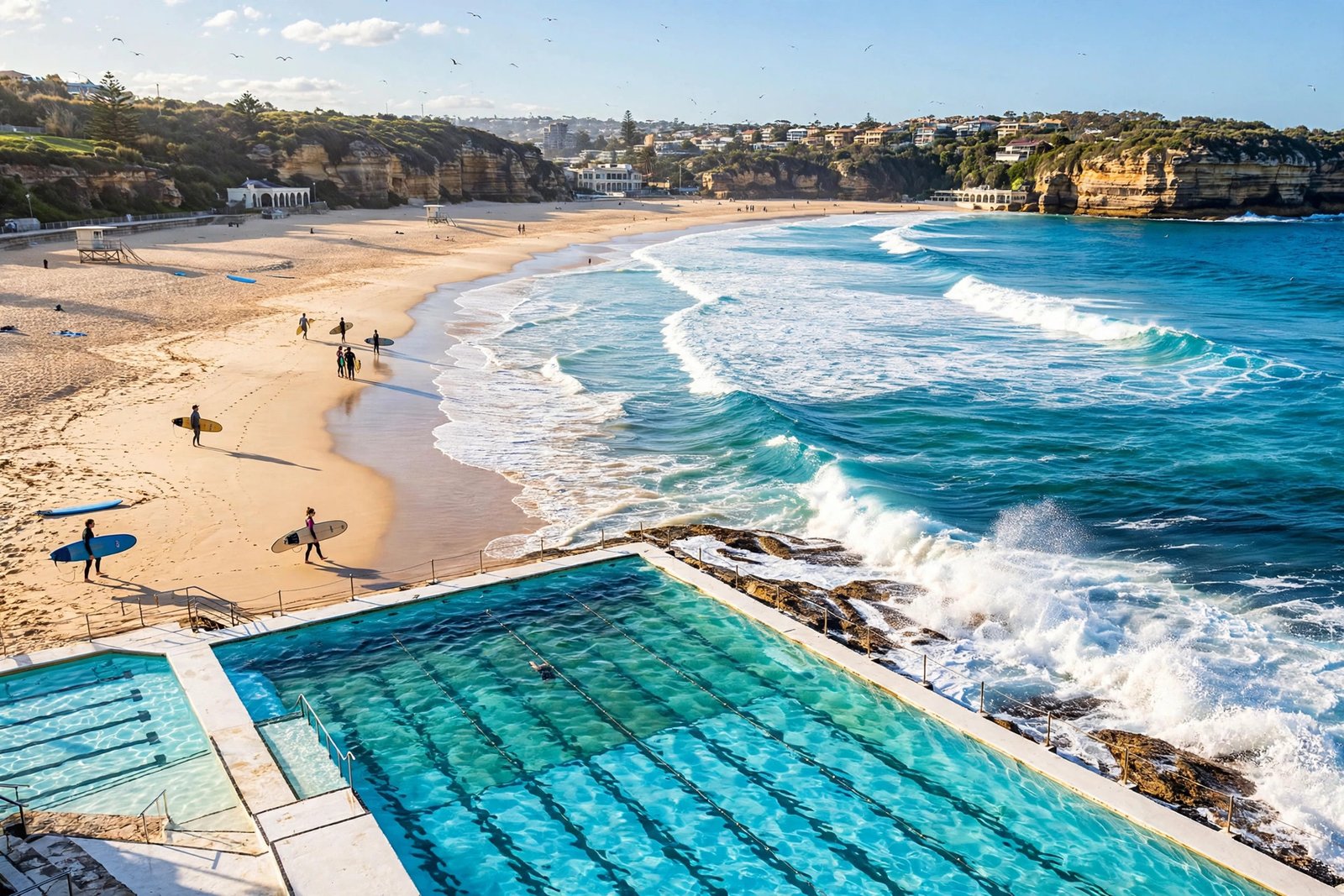
“Bright cinematic tracking shot along Bondi Beach, Sydney, on a sunny morning. Turquoise waves roll onto golden sand as surfers carry their boards toward the water and the famous ocean pool glitters in the foreground. The camera glides at eye level past sunbathers and coastal cliffs. 35mm lens feel, natural sunlight, crisp blue and gold colour grade, fresh and energetic mood, photorealistic, 4K, 16:9. Ambient sound: waves, gulls, distant laughter.”
Why This Prompt Works
Bondi is Sydney’s everyday magic — not a monument, but a way of life — and this prompt captures exactly that. The eye-level tracking shot feels like a real person walking the beach with a camera, which is the most natural and believable motion an AI model can produce. Waves are the model’s best friend: they move constantly, they never need to look like a specific object, and they make the whole scene feel alive even if nothing else moves. The ocean pool in the foreground adds a unique Sydney detail that viewers instantly recognise. This is the clip that makes people say “I want to go there” — use it when your video needs warmth and energy.
Image Prompt Idea
“Bondi Beach Sydney on a sunny morning, turquoise waves rolling onto golden sand, surfers carrying boards, iconic ocean pool in the foreground, coastal cliffs behind, cinematic photorealistic, 16:9.”
Prompt 4: Sydney Night Skyline — Harbour Lights
The Prompt (copy-paste ready)
“Slow cinematic crane shot rising over Sydney Harbour at night, Australia. The Opera House and Harbour Bridge glow warm against a deep blue sky while city towers sparkle and their reflections shimmer on the dark water. A ferry crosses the harbour leaving a trail of light. Slow upward crane movement, wide cinematic lens, rich blue and gold palette, romantic and majestic mood, photorealistic, 4K, 16:9. Ambient sound: gentle water, distant city hum, soft music.”
Why This Prompt Works
Night is when Sydney turns into jewellery, and this prompt is designed to capture that. The slow crane-up is a classic closing move: it starts close and intimate, then reveals the whole harbour in one smooth breath. Night scenes are forgiving for AI video because darkness hides imperfections and the lights themselves become the subject. The ferry’s light trail gives the frame a moving line of interest, and the blue-and-gold palette is one of the most cinematic colour combinations you can ask for. End your Sydney video here, let the music fade, and your viewer will be searching for flights before the credits roll.
Image Prompt Idea
“Sydney skyline at night, Opera House and Harbour Bridge illuminated in warm light, city towers glowing, reflections shimmering on the dark harbor water, deep blue night sky, cinematic photorealistic, 16:9.”

Watch: Sydney in 8K — Waterfront Majesty
Before you generate your own clips, watch this cinematic showcase of Sydney’s harbour — the Opera House, the Harbour Bridge, and the waterfront skyline in stunning 8K HDR. Notice how the camera lingers on reflections, how the music swells over the wide shots, and how the city itself does the storytelling. Then use the four prompts above to create your own version of that feeling.
Pro Tips for Realistic Sydney AI Videos
Water is your friend — include the harbour, the ocean, or a pool in every Sydney scene, because moving water makes AI footage feel alive and hides small flaws. Keep the light Australian: bright, warm, high-contrast sunshine or soft golden hour, never flat grey. Name the lens in every prompt; 35mm feels like a documentary, 50mm feels elegant, and wide-angle gives you the scale the harbour deserves. Add one ambient sound cue per prompt — Veo 3 and similar tools generate native audio, so “soft waves and gulls calling” genuinely improves the clip. And always generate two or three takes of your favourite prompt; the best version is rarely the first one.
For more coastal and ocean inspiration, see our cinematic ocean AI video prompts, and if you love golden-hour light, the hot air balloon festival sunrise prompts use the same dawn palette in a completely different setting.
Frequently Asked Questions (FAQ)
1. Which AI video tool is best for Sydney AI video prompts?
Google Veo 3 and OpenAI Sora give the most cinematic Sydney results, with realistic water and native audio. Kling is excellent for smooth drone-style movement, and Runway Gen-4 works well for stylised or artistic versions. Try the same prompt in two tools and keep the better take.
2. Can I use these Sydney prompts for Instagram Reels?
Yes. Generate in 9:16 vertical if your tool supports it, or generate in 16:9 and crop to vertical in your editor. Harbour and beach scenes crop well to vertical because the subject — the Opera House, the bridge, the waves — is tall and central. Keep clips to 5–8 seconds for Reels.
3. Why does my AI Opera House sometimes look wrong?
The Opera House sails are a very specific shape, and models sometimes merge or distort them when the camera moves too fast or the prompt is vague. Fix it by using a slow dolly-in, naming the sails explicitly (“white shell sails”), and generating an image first with the image prompt idea, then animating that still with image-to-video.
4. Are these prompts free to use?
Yes, all four prompts are free to copy and use in any AI video generator, including free tiers and trial credits. Free tiers usually limit clips to 5–10 seconds and may add a watermark, so generate short clips and stitch them together for a longer video.
5. What is the best time of day for Sydney AI video scenes?
Golden hour (sunrise and sunset) gives the warmest, most forgiving light and the most cinematic colour. Blue hour, just after sunset, is best for the night skyline prompt. Avoid asking for harsh midday sun — it flattens the image and exposes generation flaws.
6. Can I combine these prompts into one Sydney travel video?
Absolutely — that is the intended workflow. Use Prompt 1 as your opening, Prompt 3 for energy in the middle, Prompt 2 as your epic centrepiece, and Prompt 4 as your closing shot. Add a voiceover with real facts from the official Sydney tourism site at sydney.com, plus music, and you have a complete one-minute Sydney travel film.
Conclusion
Sydney is a city that does half the cinematographer’s job for you: bold landmarks, brilliant light, and water everywhere. Your job is to write a prompt that respects that — one subject, one camera move, real light, and real sound. Start with the Opera House at sunset, go epic over the Harbour Bridge at dawn, feel the salt air at Bondi, and close on the harbour lights at night. Four prompts, four clips, one complete Sydney story. Paste them into Veo, Sora, or Kling today, keep the best takes, and let the harbour city do what it has always done — make everyone watching wish they were there.
Pingback: Rio de Janeiro AI Video Prompts: 4 Cinematic Prompts for Christ the Redeemer, Sugarloaf & More