Rio de Janeiro AI video prompts are the fastest way to turn the world’s most beautiful city into a video that looks like it was shot by a professional film crew. Rio gives you Christ the Redeemer floating above a sea of clouds, Sugarloaf Mountain rising out of Guanabara Bay, the golden curve of Copacabana Beach, and the explosion of colour that is Carnival — all within a few miles of each other. With one well-written prompt, tools like Google Veo, OpenAI Sora, Kling, and Runway can now generate all of it in seconds. In this post, you get four ready-to-use Rio de Janeiro AI video prompts, each one written like a real shot list — subject, action, camera movement, lens, lighting, and mood — so you can paste them straight into your favourite AI video generator and get cinematic results on the first try.
Table of Contents
- Why Rio de Janeiro Works So Well for AI Video
- How to Use These Rio de Janeiro AI Video Prompts
- Prompt 1: Christ the Redeemer at Sunrise — Clouds and Light Aerial
- Prompt 2: Sugarloaf Mountain at Sunset — Cable Car Ascent
- Prompt 3: Copacabana Beach in the Morning — Aerial Coastline
- Prompt 4: Carnival at the Sambadrome — Night Parade Energy
- Watch: Rio de Janeiro 4K Drone Footage
- Pro Tips to Make Your Rio AI Videos Look Real
- Frequently Asked Questions (FAQ)
- Conclusion
Why Rio de Janeiro Works So Well for AI Video
Rio de Janeiro is a dream subject for AI video because its landmarks are so distinctive that the models rarely get them wrong. Every AI video generator on the market has been trained on countless hours of Rio footage, which means it already understands the outstretched arms of Christ the Redeemer, the granite cone of Sugarloaf Mountain, and the wave-pattern promenade of Copacabana. That familiarity is your advantage: when you name a real landmark in your prompt, the model does not have to guess. It retrieves a strong visual memory and builds on it.
There is another reason Rio works so well. The city gives you nature and culture in the same frame. Green mountains, turquoise ocean, white sand, and a city that dances — every scene has built-in visual drama. UNESCO listed Rio’s Carioca landscapes as a World Heritage site precisely because of this fusion of mountain and sea, and that same fusion is what makes Rio footage so watchable. A good prompt simply tells the camera where to stand and how to move. The city does the rest. That is why travel creators, YouTubers, and social media editors keep coming back to Rio de Janeiro AI video prompts: the subject is instantly recognisable, the audience already loves it, and the footage performs well on every platform from YouTube to Instagram Reels. For real location details that make your scenes feel authentic, check the official Visit Rio guide on visit.rio before you write your prompts.
How to Use These Rio de Janeiro AI Video Prompts
Using these prompts is simple, but a few habits will save you a lot of regenerations. First, paste the full prompt exactly as written — do not shorten it. The camera direction, lens, and lighting details are what separate a cinematic clip from a generic slideshow. Second, generate in the aspect ratio your platform needs: 16:9 for YouTube, 9:16 for Reels and Shorts. Most tools let you set this before generating. Third, if a tool supports image-to-video, generate a still image first with the matching image prompt idea given under each prompt, then animate that still. Image-to-video gives you far more control over composition than text-to-video alone. Finally, keep one subject and one camera move per clip. If you want a sequence, generate four short clips and cut them together — that is how professional creators build a 30-second Rio montage that actually feels like a film.
If you are new to this kind of content, start with the free prompt library at PromptifyVideo for extra inspiration, and read the UNESCO page on Rio’s Carioca landscapes at whc.unesco.org to pick real details — like the Tijuca forest and the designed landscapes of Copacabana Bay — that make your scenes feel researched instead of generic.
Prompt 1: Christ the Redeemer at Sunrise — Clouds and Light Aerial
The Prompt (copy-paste ready)
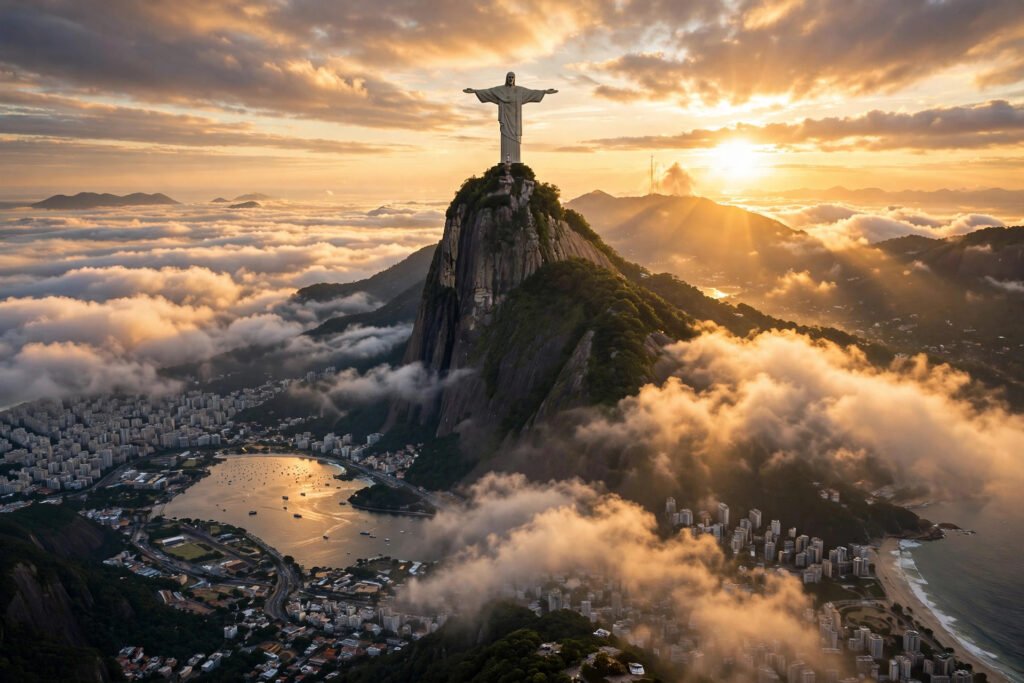
“Epic aerial drone shot circling Christ the Redeemer atop Corcovado Mountain in Rio de Janeiro at sunrise. The camera orbits slowly as the statue’s outstretched arms glow in warm golden light above a sea of clouds, with the city and Guanabara Bay waking far below. Mist drifts through the Tijuca forest and the first sunbeams break across the mountain. Slow majestic orbit movement, wide-angle lens, warm golden colour grade, cinematic scale, photorealistic, 4K, 16:9. Ambient sound: soft wind, distant birdsong, faint city murmur.”
Why This Prompt Works
Christ the Redeemer is one of the most recognisable statues on Earth, and this prompt leans into everything that makes it cinematic: height, light, and clouds. The slow orbit gives the viewer a sense of scale without needing a single cut, while the sea of clouds below the statue creates the heavenly feeling that has made this shot famous for a century. Aerial shots are also where modern AI video models shine — smooth, continuous drone movement is much easier for them than a handheld shot with a human subject. The golden sunrise light flatters every surface in the frame. Use this as the hero shot of your Rio video, and place it right after your opening hook for maximum impact.
Image Prompt Idea
“Cinematic still of Christ the Redeemer statue atop Corcovado Mountain in Rio de Janeiro at sunrise, arms outstretched above a sea of golden clouds, the city and Guanabara Bay far below, warm golden light, photorealistic, 16:9.” Use this still as your first frame for image-to-video, or as the thumbnail for the finished clip.
Prompt 2: Sugarloaf Mountain at Sunset — Cable Car Ascent
The Prompt (copy-paste ready)
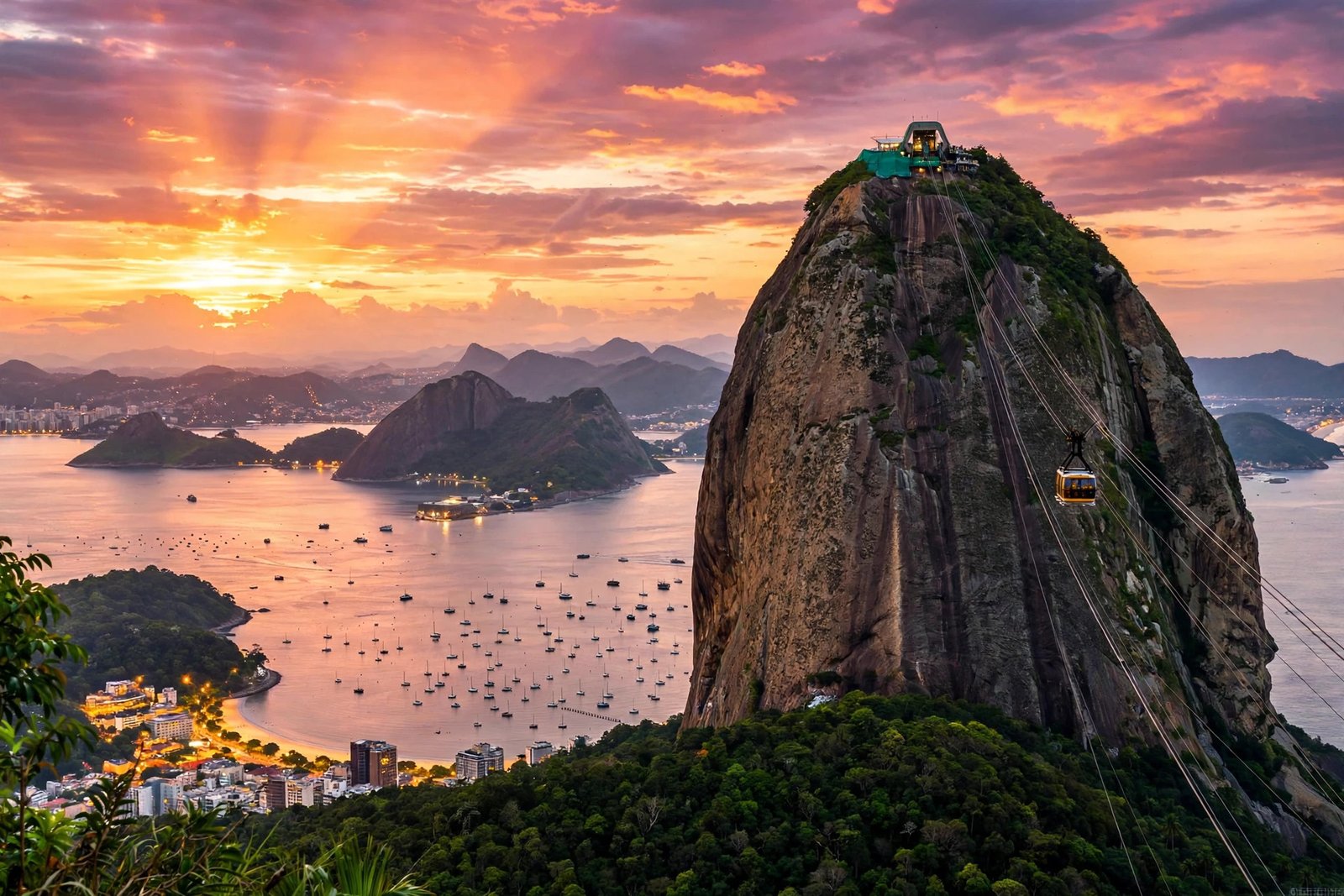
“Cinematic shot following the cable car up Sugarloaf Mountain in Rio de Janeiro at sunset. The camera tracks beside the glass cabin as it climbs toward the granite peak, Guanabara Bay glowing golden below and the city lights beginning to sparkle across the hills. The cable stretches ahead into the warm orange sky while boats cross the bay far beneath. Slow tracking movement, 35mm lens feel, warm orange and pink colour grade, romantic and epic mood, photorealistic, 4K, 16:9. Ambient sound: soft wind, cable hum, distant waves.”
Why This Prompt Works
This prompt works because the cable car gives the model a perfect, predictable motion: a slow, steady climb along a fixed line. That is exactly the kind of movement AI video renders most reliably. The granite peak of Sugarloaf against the sunset sky is one of the most dramatic compositions in travel footage, and the golden bay below doubles the light in the frame. The tiny boats crossing the water give the shot its sense of scale. It is the ideal middle clip for a Rio video — the moment where the viewer feels the height and the beauty at the same time.
Image Prompt Idea
“Sugarloaf Mountain in Rio de Janeiro at sunset, cable car gliding up to the granite peak, Guanabara Bay and the city glowing golden below, warm orange and pink sky, photorealistic, 16:9.”
Prompt 3: Copacabana Beach in the Morning — Aerial Coastline
The Prompt (copy-paste ready)
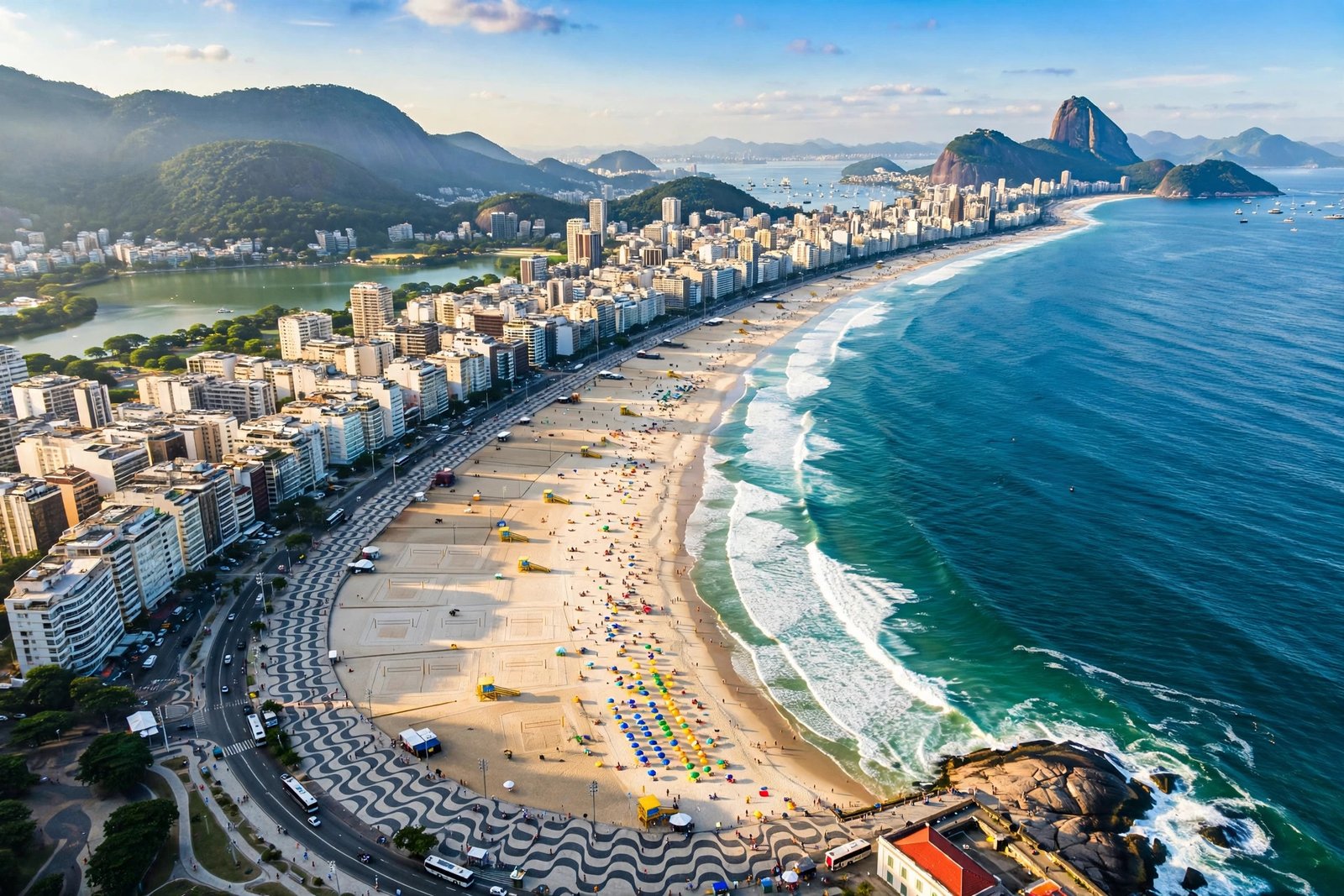
“Cinematic aerial shot sweeping along Copacabana Beach in Rio de Janeiro on a sunny morning. The camera glides above the famous curved beach as turquoise waves roll onto the sand, the black-and-white wave-pattern promenade curves along the shore, and colourful umbrellas dot the sand. Beachgoers play football and jog along the water’s edge while Sugarloaf Mountain rises in the distance. Slow sweeping forward flight, wide-angle lens, bright turquoise and gold colour grade, joyful and carefree mood, photorealistic, 4K, 16:9. Ambient sound: ocean waves, distant chatter, soft breeze.”
Why This Prompt Works
Copacabana works on camera because it is pure joy. The curved beach, the wave-pattern promenade, and the turquoise water create a composition that is instantly recognisable from the air, and the slow sweeping flight lets the viewer absorb it. The small human details — the football games, the joggers, the umbrellas — give the model gentle, natural motion to animate, and AI video handles slow, rhythmic movement like waves far better than fast action. It is the perfect clip for a travel vlog or a summer montage, and it proves your video is about a real place where real people live, not just a postcard.
Image Prompt Idea
“Aerial view of Copacabana Beach in Rio de Janeiro on a sunny morning, the famous curved beach with its black-and-white wave-pattern promenade, turquoise Atlantic waves, beach umbrellas and people, Sugarloaf Mountain in the distance, photorealistic, 16:9.”

Prompt 4: Carnival at the Sambadrome — Night Parade Energy
The Prompt (copy-paste ready)
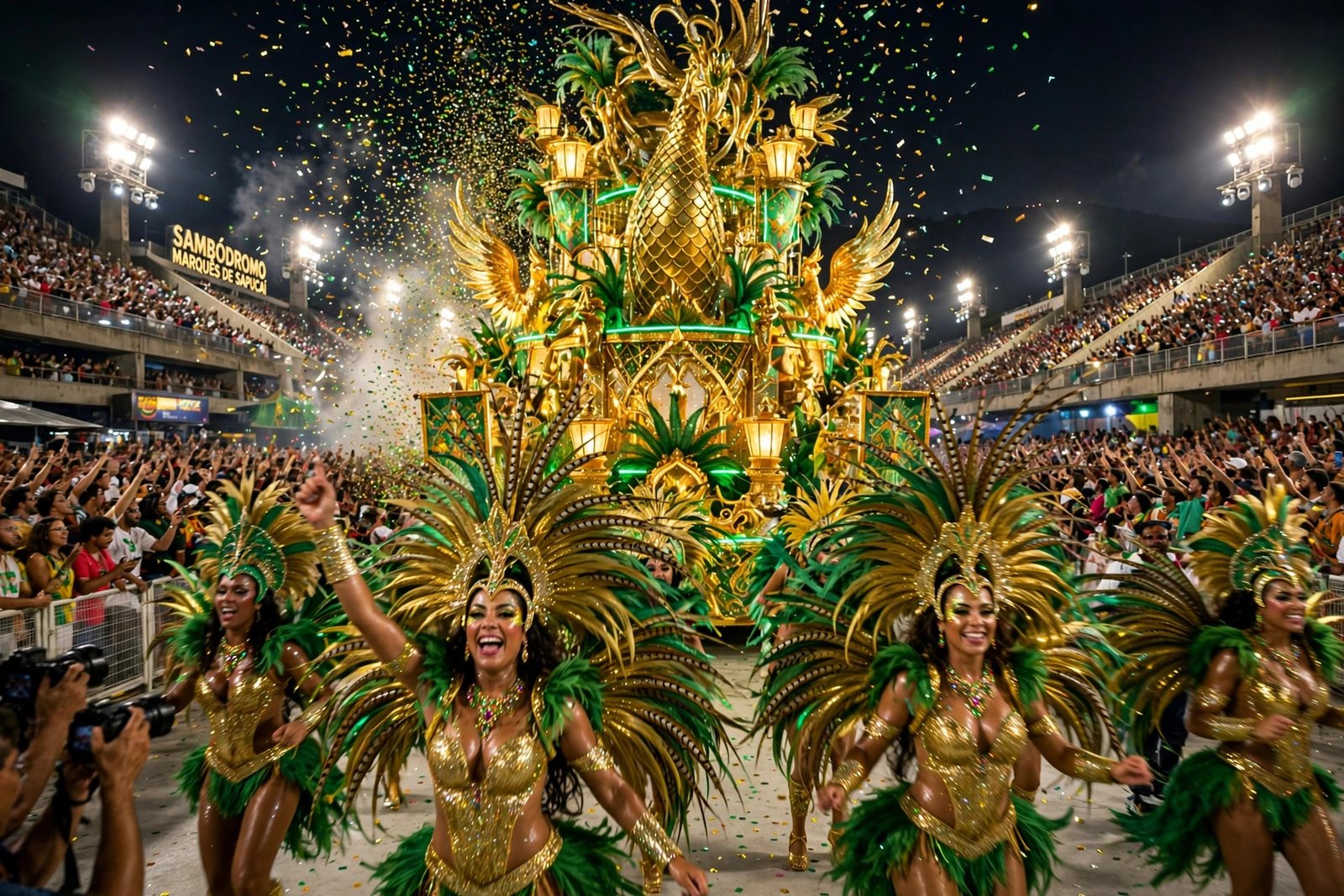
“Cinematic night shot of the Rio Carnival samba parade at the Sambadrome. The camera tracks slowly alongside a huge illuminated float as dancers in dazzling feathered costumes in gold and green move in rhythm, confetti drifting through the air under bright stage lights. The crowd cheers from the stands while drums thunder and the avenue glows with colour. Slow tracking movement, 35mm lens feel, vivid gold, green and magenta colour grade, electric and joyful mood, photorealistic, 4K, 16:9. Ambient sound: samba drums, cheering crowds, whistles.”
Why This Prompt Works
Every great Rio video needs a closing shot with energy, and this is it. Carnival is the biggest party on Earth, and the slow tracking shot alongside the float lets the viewer feel the rhythm without the chaos of a fast cut. The feathered costumes and bright lights give the model rich, saturated colour to work with, and the drifting confetti gives it soft, natural motion to animate. The slow tracking movement is simple enough for the model to hold together, even with a busy scene. End your video here, fade to your channel name or call to action, and the viewer will remember the feeling long after the clip ends.
Image Prompt Idea
“Rio Carnival samba parade at the Sambadrome at night, dancers in dazzling feathered costumes in gold and green, a huge illuminated float moving down the avenue, confetti in the air, crowds cheering under bright stage lights, photorealistic, 16:9.”
Watch: Rio de Janeiro 4K Drone Footage
Before you generate your own clips, watch this stunning 4K drone footage of Rio de Janeiro — it flies over Christ the Redeemer, Sugarloaf Mountain, and the golden sands of Copacabana Beach, with the sparkling Atlantic all around. Study how the camera moves, how the light changes, and how each landmark gets its moment. Then use the prompts above to recreate that feeling in your own AI-generated videos.
Pro Tips to Make Your Rio AI Videos Look Real
Keep the camera language simple. One move per clip — a push-in, a slow pan, or a gentle crane-up — will always look more professional than three moves fighting each other. Name the lens: “35mm” gives a natural documentary feel, “85mm” gives a compressed, cinematic portrait feel, and “wide-angle” gives scale. Always include the lighting: golden hour, sunrise, bright morning sun, or neon night. And add one sound cue at the end of each prompt — models like Veo 3 generate native audio, so “ambient sound: samba drums and cheering crowds” actually improves the result. Finally, generate three versions of your favourite prompt and pick the best; small variations in seed produce surprisingly different results, and the best take is usually the second or third one.
If you want more city inspiration, our Barcelona AI video prompts and Sydney AI video prompts follow the same formula for two more coastal icons, and the Amazon rainforest AI video prompts are perfect for practising lush green landscapes and mist effects.
Frequently Asked Questions (FAQ)
1. Which AI video generator works best for Rio de Janeiro AI video prompts?
Google Veo 3 and OpenAI Sora currently produce the most cinematic and physically accurate Rio scenes, with native audio support. Kling is excellent for smooth aerial camera movement, and Runway Gen-4 is strong for stylised or VFX-heavy shots. Try the same prompt in two tools and keep the better result.
2. Can I use these prompts for free?
Yes. All four prompts work in the free tiers of most AI video tools, including trial credits on Veo, Kling, and Runway. Free tiers usually limit clip length to 5–10 seconds and add a watermark, so generate short clips and stitch them together for a longer video.
3. What aspect ratio should I use for Rio AI videos?
Use 16:9 for YouTube and 9:16 for Instagram Reels, TikTok, and YouTube Shorts. Most generators let you set the ratio before generating. If a tool only supports one ratio, generate in 16:9 and crop to vertical in your editor — the Christ the Redeemer statue crops surprisingly well.
4. Why does my AI-generated Christ the Redeemer look wrong?
The most common problem is the statue’s proportions. The figure is 30 metres tall with arms outstretched in a very specific Art Deco pose — if your prompt just says “Jesus statue”, the model may render a generic figure. Always write “Christ the Redeemer, Art Deco statue with arms outstretched, atop Corcovado Mountain” and add “sea of clouds below” for the iconic sunrise look.
5. Can I make a full Rio travel video with only AI prompts?
Yes, and that is exactly how many creators do it now. Generate four to six short clips using the prompts above, add a real voiceover or music, and cut them together with simple hard cuts. Add real facts about each landmark from the official Visit Rio guide on visit.rio so your video feels researched, not just pretty.
6. Do I need an image first, or can I generate from text alone?
Text-to-video works fine for all four prompts in this post. But image-to-video gives you better control: generate a still with the image prompt idea under each prompt, then animate it. This is the best workflow when a specific composition matters, like the Christ the Redeemer orbit or the Copacabana aerial sweep.
Conclusion
Rio de Janeiro rewards creators who respect its beauty. The city already has the statue, the mountain, the beach, and the party — your job is simply to point the camera and let the prompt do the directing. Start with Christ the Redeemer at sunrise for awe, ride the cable car up Sugarloaf at sunset for romance, sweep along Copacabana in the morning for joy, and close on Carnival at the Sambadrome for pure energy. That four-clip arc is a complete Rio story in under a minute, and every prompt above is ready to paste right now. Try them in Veo, Sora, or Kling, keep the best takes, and share your results — the Marvellous City is waiting for your version of it.