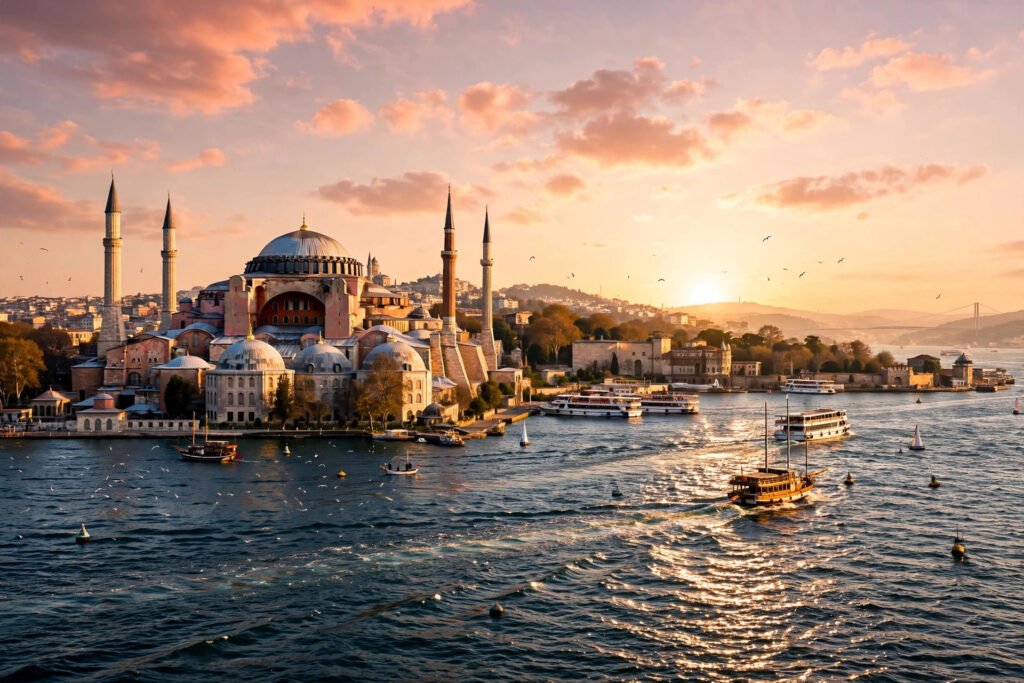
Istanbul is the only city in the world that stands on two continents at once, and that split personality is exactly what makes Istanbul AI video prompts so powerful for creators. On one side of the Bosphorus you have the domes and minarets of the old city — the Hagia Sophia, the Blue Mosque, the spice-scented lanes of the Grand Bazaar — and on the other, a modern skyline of ferries, bridges and rooftop cafes. Few cities give an AI video generator this much to work with in a single frame: golden light on ancient stone, water that changes colour every hour, and streets that have looked cinematic for fifteen hundred years.
Whether you are making travel reels, dreamy YouTube intros, or a cinematic montage for a client, the four prompts below will help you turn a single sentence into a clip that feels shot on location. Each prompt is built around a different mood of Istanbul — golden hour, quiet sunrise, busy market colour, and dusky water — and each one names the camera movement, the light and the atmosphere, so even a first-time user gets a polished result. Copy a prompt, paste it into your favourite AI video tool, and watch the city come alive.

Table of Contents
- Watch Istanbul in 4K
- 1. Golden Hour at the Hagia Sophia
- 2. Sunrise at the Blue Mosque
- 3. The Grand Bazaar’s Spice Lanes
- 4. Bosphorus Ferry at Dusk
- How to Use These Istanbul AI Video Prompts
- Frequently Asked Questions
- Conclusion
Watch Istanbul in 4K
Before you generate your own clips, study the real thing. This 4K walking tour of Istanbul — Istiklal Street, the Galata Tower, the Bosphorus waterfront, the Spice Bazaar and Sultanahmet — is the perfect reference for the light, the colours and the camera angles in the prompts below. Notice how the golden light hits the domes, how the ferries cut across the water, and how the markets explode with colour. Those are the details your prompts need to name.
1. Golden Hour at the Hagia Sophia
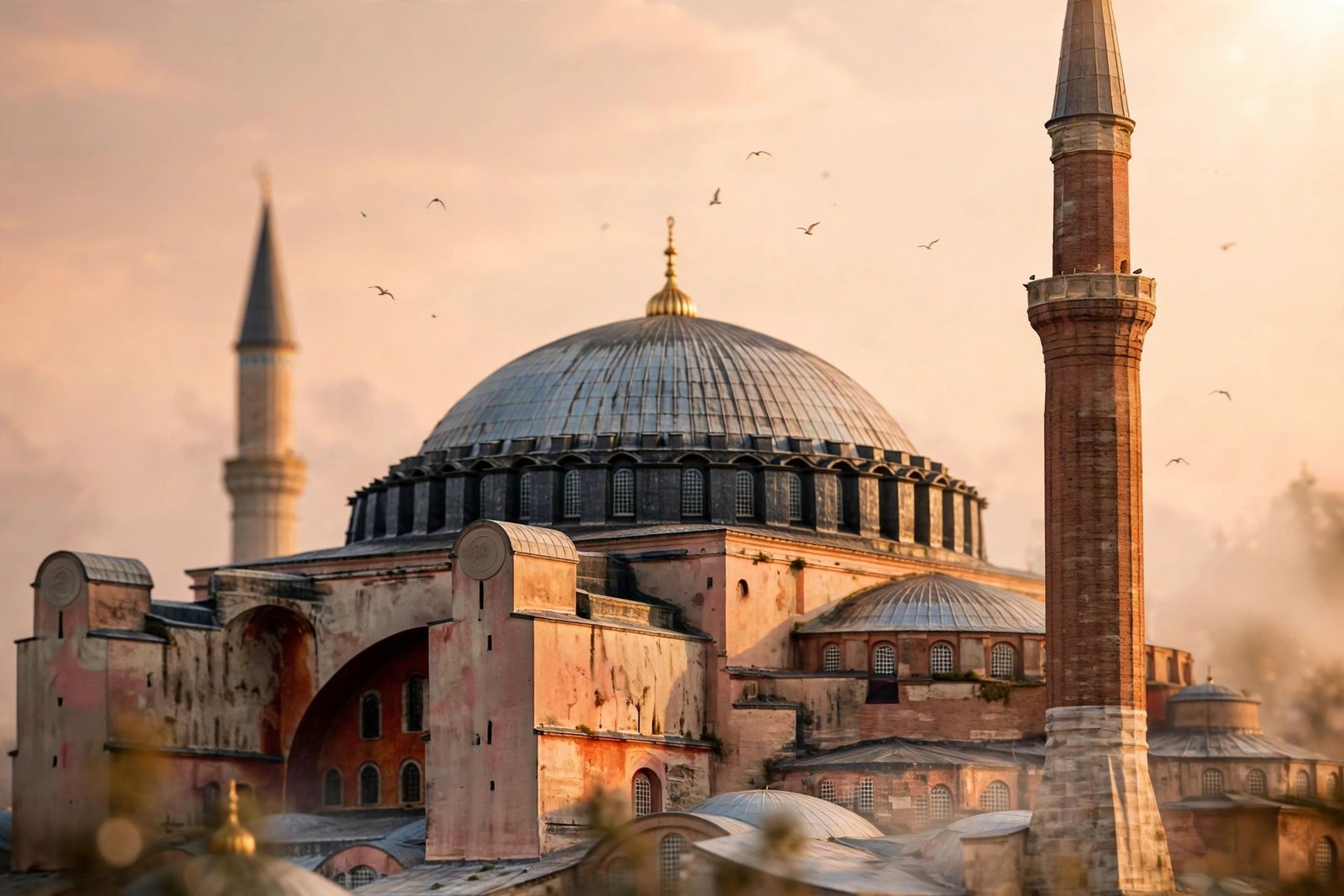
No Istanbul video is complete without the Hagia Sophia at sunset. This is the hero shot of the whole set: warm amber light washing over fifteen centuries of stone, the dome glowing against a peach-coloured sky, and the Bosphorus glittering below. It works beautifully as a reel opener, a travel vlog intro, or the closing shot of a montage, because the silhouette alone tells the viewer exactly where they are — no caption needed.
“Cinematic wide shot of the Hagia Sophia in Istanbul at golden hour, warm amber sunlight washing over the ancient dome and four minarets, the Bosphorus strait glittering in the foreground with a ferry crossing, soft pink and orange clouds drifting across the sky, slow dolly-in camera movement, shallow depth of field, romantic and timeless atmosphere, photorealistic, 4K, film grain, 24fps”
Image-prompt idea: A wide golden-hour photograph of the Hagia Sophia from across the water, with a ferry in the foreground and a warm peach sky.
Keep the prompt focused on one building and one time of day. When you ask for golden hour, the generator leans into warm tones automatically, so you do not need to list ten colours. If the first result feels too bright, add “soft haze” or “low sun” and regenerate — small changes like that fix most washed-out skies. For more golden-hour city ideas, see our Paris AI video prompts, which use the same warm-light technique on a different skyline.
2. Sunrise at the Blue Mosque
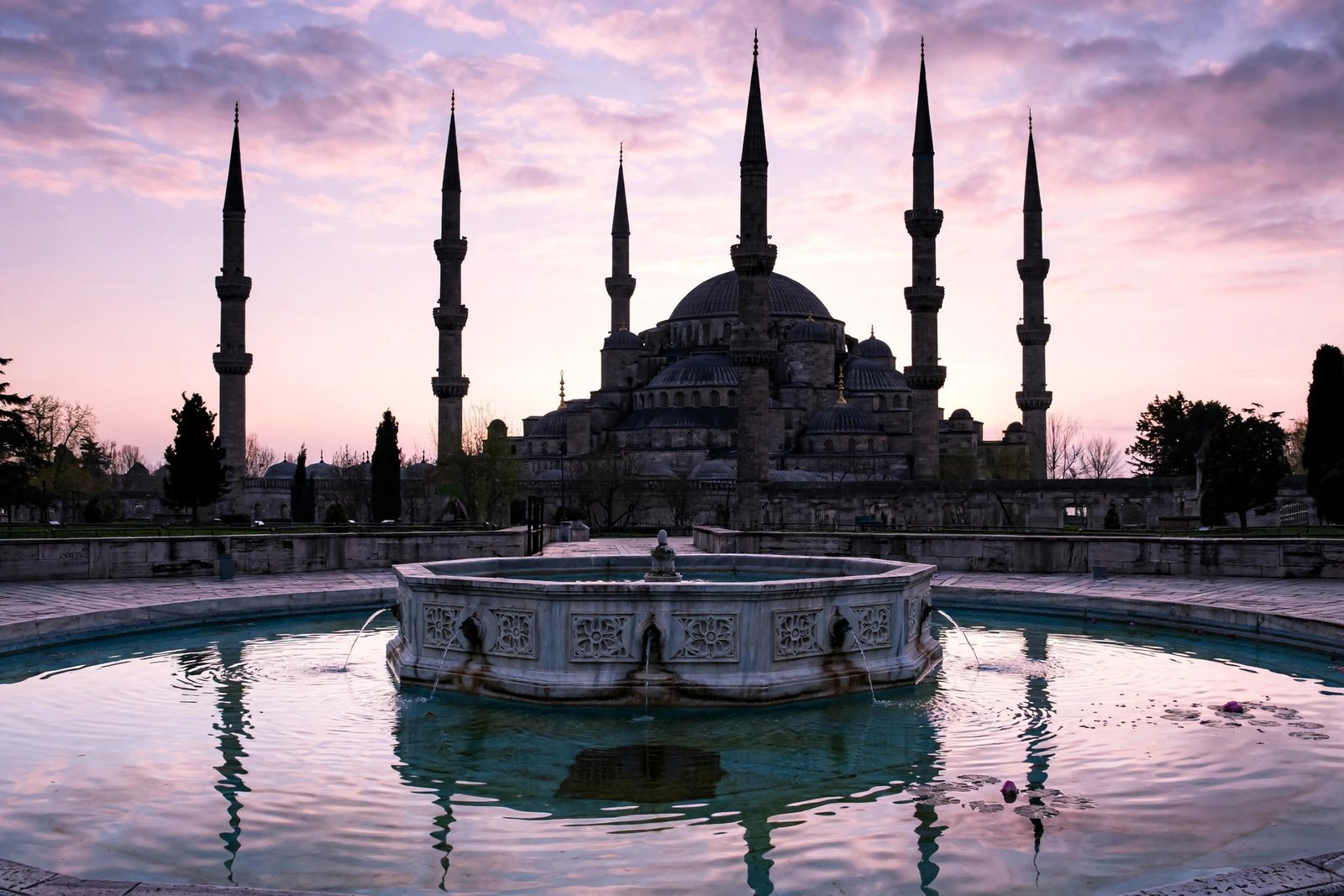
Istanbul at dawn is a different city — quiet, soft and a little mysterious. This prompt captures that feeling: the Blue Mosque’s six minarets rising into a pink and lavender sky, the courtyard fountain catching the first light, and the city still half asleep. It is ideal for calm, slow content — meditation backgrounds, travel diaries, poetry reels, or any video that needs the viewer to breathe out and relax.
“Dreamy slow-motion scene of the Blue Mosque in Istanbul at sunrise, six slender minarets silhouetted against a soft pink and lavender sky, courtyard fountain in the foreground with gentle water reflections, a few birds flying across the dome, pastel light, gentle tracking shot moving slowly toward the entrance, peaceful and nostalgic mood, cinematic, photorealistic”
Image-prompt idea: The Blue Mosque at sunrise with its minarets against a pink sky and the courtyard fountain reflecting the first light.
Morning prompts work best when you name the light first — “soft pink and lavender sky” tells the model the whole colour palette in a few words. Avoid asking for crowds here; the magic of this shot is the emptiness. If your tool supports it, set the clip length to 10 seconds so the slow tracking shot has time to breathe. If you love quiet European mornings, our Rome AI video prompts use the same soft-dawn approach.

3. The Grand Bazaar’s Spice Lanes
The Grand Bazaar is the most colourful five minutes in Istanbul, and this prompt is built to capture it: pyramids of saffron and paprika, warm lanterns glowing overhead, and the organised chaos of one of the world’s oldest covered markets. It is the liveliest clip of the four, and it performs very well on Instagram and YouTube Shorts because the colour and movement grab the eye in the first two seconds.
“Vibrant cinematic scene inside the Grand Bazaar in Istanbul, colourful pyramids of saffron, paprika and dried fruits at a spice stall, warm hanging lanterns glowing above the vaulted ceiling, a shopkeeper arranging goods and a shopper browsing, slow push-in camera movement through the lane, rich warm tones, lively and sensory atmosphere, photorealistic, 4K, cinematic colour grading”
Image-prompt idea: A spice stall in the Grand Bazaar with pyramids of saffron and paprika under warm glowing lanterns.
Busy scenes can go messy fast, so always give the model one clear subject — here it is the spice stall, not the whole market. That single choice keeps the frame readable and the colours rich. Keep the camera move slow; a fast push-in through a crowd usually turns into a blur. Pair this clip with the sound of a busy market and it instantly feels like you are standing in the lane yourself.

4. Bosphorus Ferry at Dusk
Nothing says Istanbul like a ferry crossing the Bosphorus at dusk. The water turns deep blue, the city lights switch on one by one, and the seagulls trail the wake. This prompt is the most cinematic of the four — a moving postcard that works as a transition shot, a video ending, or a standalone mood clip for a lo-fi or travel playlist.
“Moody cinematic shot of a Bosphorus ferry crossing the strait in Istanbul at dusk, warm golden lights glowing on the dark blue water, seagulls flying above the white wake, mosque silhouettes and city lights along the shoreline, slow aerial tracking shot following the ferry, deep blue and amber tones, calm and cinematic atmosphere, photorealistic, 4K”
Image-prompt idea: A Bosphorus ferry at dusk with golden lights on the water, seagulls above the wake and the city skyline behind.
The trick here is the camera word: “slow aerial tracking” makes the ferry feel like it is carrying the whole city with it. If your generator struggles with water, simplify — ask for “calm water” rather than waves, and let the reflections do the work. A 5 to 8-second clip is enough; the tracking shot does not need more time to impress. For more waterfront city ideas, our London AI video prompts include a similar river-at-dusk technique on the Thames.
How to Use These Istanbul AI Video Prompts
Using these prompts well is less about the tool and more about the workflow. Start by picking one prompt and generating it as it is written — do not edit it before the first test. Most AI video tools, such as Runway and Pika, let you generate a short clip from text alone, and the first result tells you what the model understood. Then change one thing at a time: the camera move, the time of day, or the mood word. Changing everything at once makes it impossible to know what fixed — or broke — the result.
Second, think in sequences, not single clips. A 15-second reel that opens with the Hagia Sophia at golden hour, cuts to the Blue Mosque at sunrise, dives into the Grand Bazaar, and ends on the Bosphorus ferry feels like a real journey, while four random clips feel like a slideshow. Keep the colour words consistent across prompts — warm gold, soft pastel, deep blue — and your clips will cut together smoothly. Before you plan a shoot-style sequence, it also helps to check the real locations on the official tourism guide at GoTürkiye, so your prompts name the right landmarks in the right light.
Third, always generate at the highest quality your plan allows and export in vertical 9:16 for reels and Shorts, or horizontal 16:9 for YouTube. Finally, add motion to still moments: a slow zoom in your editor can rescue a clip that feels static.
- Start with the prompt as written — test first, edit second.
- Change one element per regeneration — camera, light, or mood, never all three.
- Keep colour words consistent across all four clips so they cut together.
- Export vertical for reels, horizontal for YouTube.
- Add a slow zoom in editing if a clip feels too still.
Frequently Asked Questions
Can I use these Istanbul AI video prompts for free?
Yes. The prompts themselves are free to copy and use. You only need an account on an AI video tool, and most of them — including Runway and Pika — offer free credits to start with. Free plans usually add a watermark or limit resolution, so check the plan before posting commercially.
Which AI video generator works best for Istanbul prompts?
Runway is a strong choice for realistic camera movement, while Pika is great for quick social-media clips. Luma’s Dream Machine also handles city scenes well. Try the same prompt in two tools and keep whichever result looks more like real Istanbul — the models all interpret light and architecture slightly differently.
How long should each AI video clip be?
Five to ten seconds per clip is the sweet spot. That is long enough for a slow camera move to register, and short enough to hold attention on reels and Shorts. Stitch four clips together and you have a 20–40 second Istanbul reel.
Can I use these videos commercially on YouTube or Instagram?
Usually yes, but it depends on the tool’s terms and your plan. Paid plans generally include commercial use, while free plans may restrict it or add a watermark. Always read the licence terms of the tool you used before monetising a video.
Why do my Istanbul videos look fake or cartoonish?
The most common cause is asking for too many things at once — three landmarks, two weather effects and a crowd. Pick one landmark, one time of day and one camera move, and add the words “photorealistic” and “cinematic colour grading”. That alone fixes most plastic-looking results.
Can I change the season in these prompts?
Absolutely. Swap “golden hour” for “light snow” or “spring blossom” and the same prompt structure works. Istanbul in winter mist or spring sunshine is just as cinematic — just keep the season word in one place so the model does not mix summer and snow in the same frame.
Conclusion
Istanbul rewards creators who slow down and let the light do the work. With these four Istanbul AI video prompts — the Hagia Sophia at golden hour, a quiet Blue Mosque sunrise, the colour explosion of the Grand Bazaar and a Bosphorus ferry at dusk — you have a complete mini-film of the city in your pocket. Copy one prompt, generate it, and build your reel scene by scene. A city that has inspired travellers for fifteen centuries can inspire your next video too. Try the prompts today, and tell us in the comments which Istanbul mood performed best for you.
Pingback: Dubrovnik AI Video Prompts: 4 Cinematic Prompts for the Pearl of the Adriatic