
Toronto AI video prompts are the fastest way to turn Canada’s biggest city into a video that looks like it was shot by a professional film crew. Toronto gives you the CN Tower piercing the sky, the calm blue of Lake Ontario, the red-brick lanes of the Distillery District, and the glowing TORONTO sign at Nathan Phillips Square — all within a few miles of each other. With one well-written prompt, tools like Google Veo, OpenAI Sora, Kling, and Runway can now generate all of it in seconds. In this post, you get four ready-to-use Toronto AI video prompts, each one written like a real shot list — subject, action, camera movement, lens, lighting, and mood — so you can paste them straight into your favourite AI video generator and get cinematic results on the first try.
Table of Contents
- Why Toronto Works So Well for AI Video
- How to Use These Toronto AI Video Prompts
- Prompt 1: CN Tower at Golden Hour — Skyline Aerial
- Prompt 2: Harbourfront in Autumn — Lakeside Stroll
- Prompt 3: Distillery District at Dusk — Cobblestone Evening
- Prompt 4: Nathan Phillips Square at Night — City Lights Reveal
- Watch: Cinematic 4K Drone and Walking Shots of Downtown Toronto
- Pro Tips to Make Your Toronto AI Videos Look Real
- Frequently Asked Questions (FAQ)
- Conclusion
Why Toronto Works So Well for AI Video
Toronto is a dream subject for AI video because its skyline is so distinctive that the models rarely get it wrong. Every AI video generator on the market has been trained on countless hours of Toronto footage, which means it already understands the shape of the CN Tower, the curve of the harbour, and the glass towers of the financial district. That familiarity is your advantage: when you name a real landmark in your prompt, the model does not have to guess. It retrieves a strong visual memory and builds on it.
There is another reason Toronto works so well. The city gives you contrast for free. Glass and brick, water and stone, quiet island beaches and busy downtown streets — every scene has built-in visual drama. A good prompt simply tells the camera where to stand and how to move. The city does the rest. That is why travel creators, YouTubers, and social media editors keep coming back to Toronto AI video prompts: the subject is instantly recognisable, the audience already loves it, and the footage performs well on every platform from YouTube to Instagram Reels. For real location details that make your scenes feel authentic, check the official Destination Toronto guide on destinationtoronto.com before you write your prompts.
How to Use These Toronto AI Video Prompts
Using these prompts is simple, but a few habits will save you a lot of regenerations. First, paste the full prompt exactly as written — do not shorten it. The camera direction, lens, and lighting details are what separate a cinematic clip from a generic slideshow. Second, generate in the aspect ratio your platform needs: 16:9 for YouTube, 9:16 for Reels and Shorts. Most tools let you set this before generating. Third, if a tool supports image-to-video, generate a still image first with the matching image prompt idea given under each prompt, then animate that still. Image-to-video gives you far more control over composition than text-to-video alone. Finally, keep one subject and one camera move per clip. If you want a sequence, generate four short clips and cut them together — that is how professional creators build a 30-second Toronto montage that actually feels like a film.
If you are new to this kind of content, start with Runway’s filmmaker guide to cinematic AI video on runway.com for extra inspiration, and check the official CN Tower site on cntower.ca to pick real details — like the tower’s 553-metre height and its glass floor — that make your scenes feel researched instead of generic.
Prompt 1: CN Tower at Golden Hour — Skyline Aerial
The Prompt (copy-paste ready)
“Epic aerial drone shot of the CN Tower and downtown Toronto skyline at golden hour. The camera sweeps slowly around the tower as warm sunset light ignites the glass skyscrapers and Lake Ontario shimmers in the foreground. A few boats cross the harbour far below while the city glows in soft amber light. Slow majestic orbit movement, wide-angle lens, warm golden colour grade, cinematic scale, photorealistic, 4K, 16:9. Ambient sound: soft wind, distant waves, faint city hum.”
Why This Prompt Works
The CN Tower is one of the most recognisable structures in North America, and this prompt leans into everything that makes it cinematic: height, light, and water. The slow orbit around the tower gives the viewer a sense of scale without needing a single cut, while the golden light flatters every surface in the frame. Aerial shots are also where modern AI video models shine — smooth, continuous drone movement is much easier for them than a handheld shot with a human subject. The lake in the foreground adds a natural reflection that doubles the light in the frame and instantly makes the shot look expensive. Use this as the hero shot of your Toronto video, and place it right after your opening hook for maximum impact.
Image Prompt Idea
“Cinematic still of the CN Tower and downtown Toronto skyline at golden hour, tower glowing against a warm orange and pink sky, Lake Ontario shimmering in the foreground, modern glass skyscrapers catching the last light, photorealistic, 16:9.” Use this still as your first frame for image-to-video, or as the thumbnail for the finished clip.
Prompt 2: Harbourfront in Autumn — Lakeside Stroll
The Prompt (copy-paste ready)
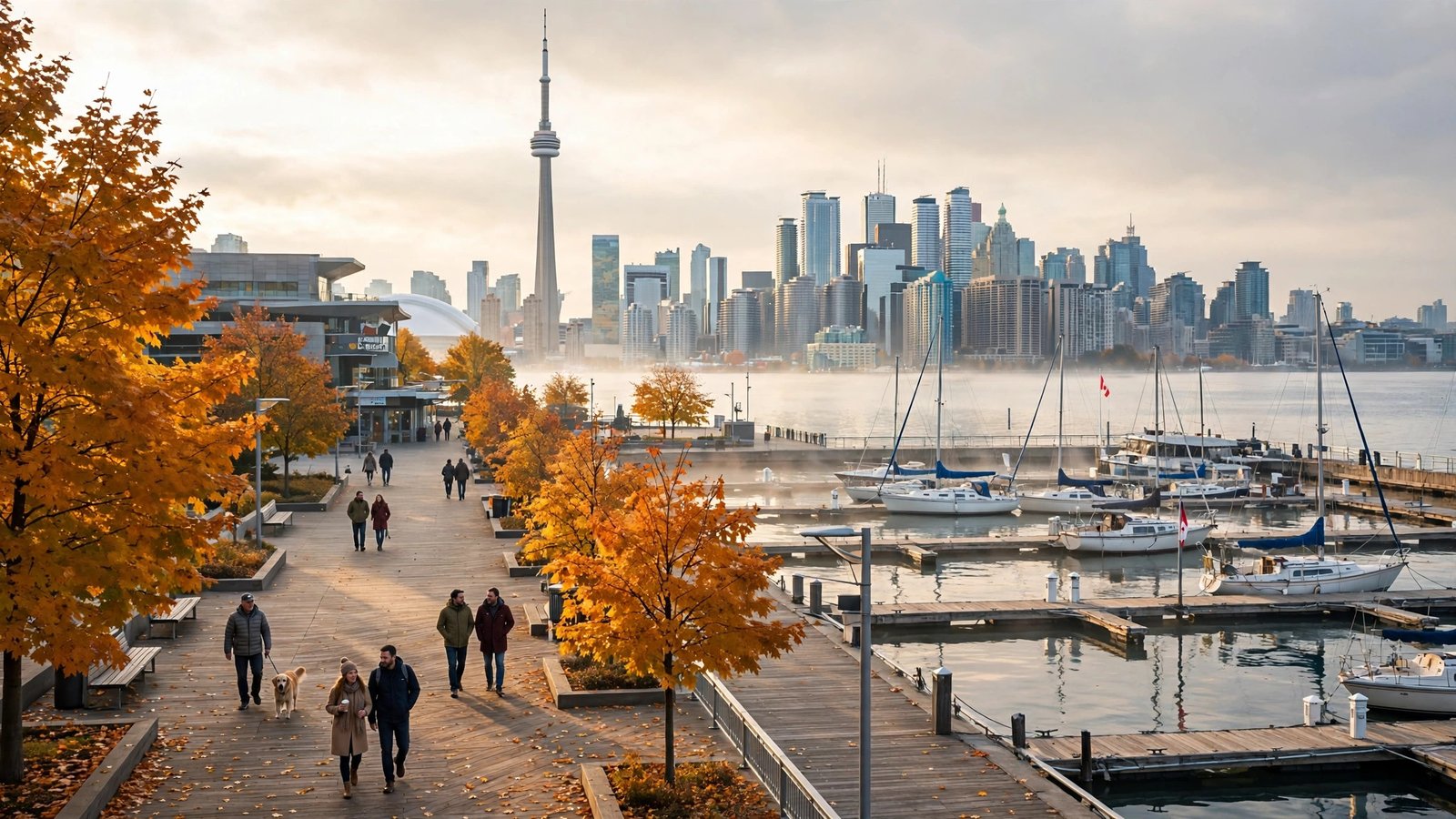
“Slow cinematic tracking shot along the Toronto Harbourfront boardwalk on a crisp autumn morning. Golden and red maple leaves drift across the path as people stroll past the marina, sailboats bobbing gently in the water. The camera glides past the waterfront as the CN Tower rises softly behind the trees and the lake sparkles in the morning sun. Soft golden morning light, gentle breeze, shallow depth of field, 35mm film look, peaceful and warm mood, photorealistic, 4K, 16:9. Ambient sound: rustling leaves, distant waves, soft footsteps.”
Why This Prompt Works
This prompt works because it does the opposite of the CN Tower clip: it slows everything down. Toronto’s waterfront in autumn is the city’s soft side, and the contrast between the quiet boardwalk and the towers behind the trees is what makes the shot emotional. The drifting leaves give the model gentle, natural motion to animate — AI video handles slow, floating movement far better than fast action, so this is one of the most reliable prompts in the set. The shallow depth of field keeps the viewer’s eye on the path while the skyline stays dreamy in the background. It is the perfect opening shot for a travel vlog or a relaxing autumn montage.
Image Prompt Idea
“Toronto Harbourfront on Lake Ontario on a crisp autumn morning, boardwalk promenade with people strolling, sailboats in the marina, CN Tower and downtown skyline across the water, golden autumn trees, photorealistic, 16:9.”

Prompt 3: Distillery District at Dusk — Cobblestone Evening
The Prompt (copy-paste ready)
“Cinematic evening shot in Toronto’s Distillery District at dusk. The camera moves slowly down a cobblestone lane between historic red-brick Victorian industrial buildings, warm string lights glowing above cafe terraces while people stroll and chat. Steam rises from a coffee cup on a wooden table and the windows glow amber against the deep blue evening sky. Slow forward dolly movement, 35mm lens feel, warm amber and deep blue colour palette, cozy and romantic mood, photorealistic, 4K, 16:9. Ambient sound: soft chatter, distant music, footsteps on cobblestones.”
Why This Prompt Works
The Distillery District works on camera because it is the one place in downtown Toronto that feels like another century. The red-brick buildings, cobblestones, and string lights give the model rich texture and warm colour to work with, and the slow dolly down the lane is the simplest, most reliable camera move in AI video. The amber-and-blue dusk palette is one of the most cinematic colour combinations in existence, and the small human details — the steam, the chatter, the glowing windows — make the scene feel alive rather than staged. This is the clip that gives your Toronto video its soul.
Image Prompt Idea
“Distillery District in Toronto at dusk, historic red-brick Victorian industrial buildings, cobblestone streets, warm string lights and cafe terraces, people strolling, cozy golden glow, photorealistic, 16:9.”
Prompt 4: Nathan Phillips Square at Night — City Lights Reveal
The Prompt (copy-paste ready)
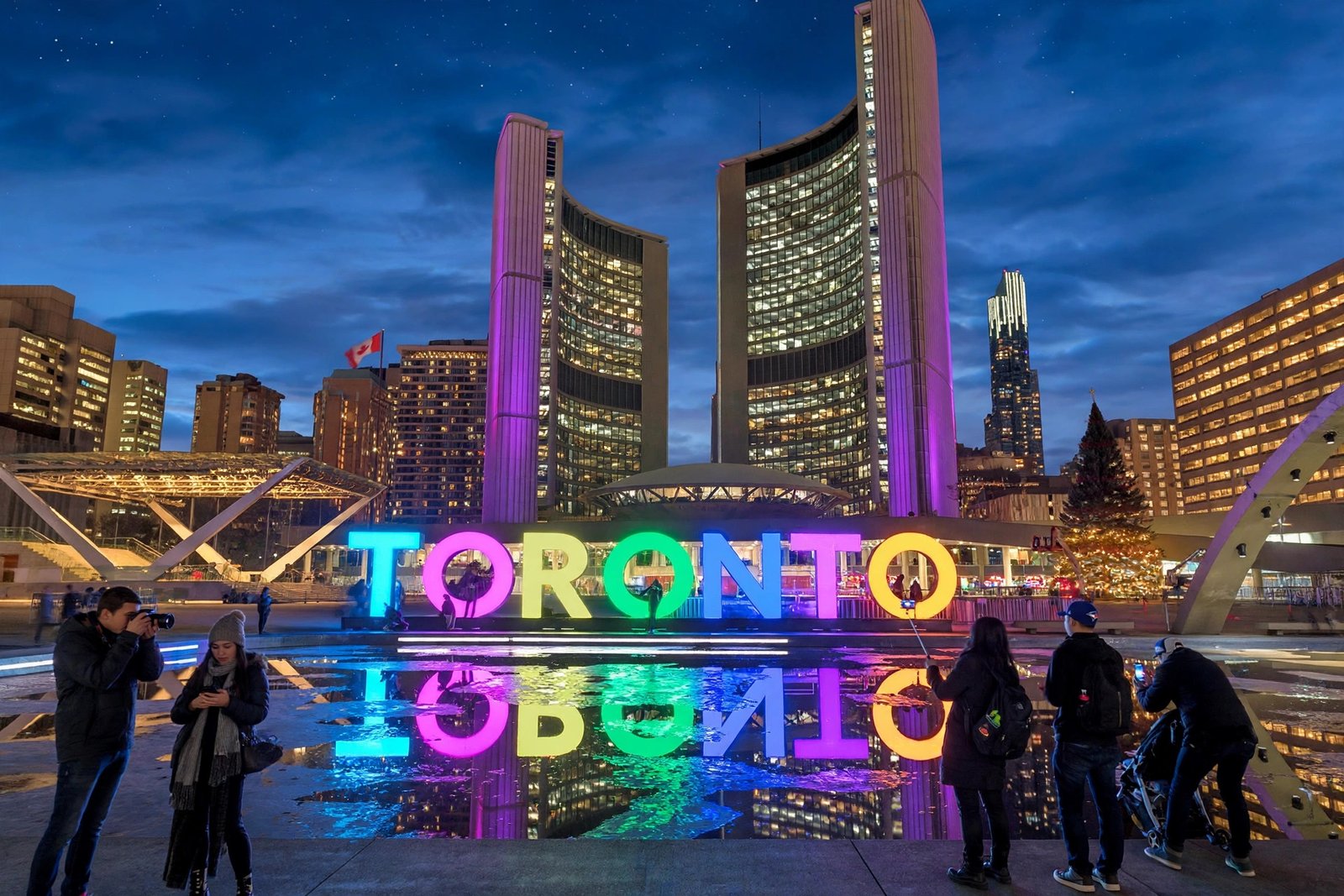
“Cinematic shot of Nathan Phillips Square in Toronto at night, slowly revealing the illuminated TORONTO sign as the camera rises. The giant letters glow in bright colours above the reflecting pool while the twin towers of City Hall shine behind them. Visitors take photos along the water’s edge and the city lights sparkle across the square. Slow crane-up movement, 50mm lens feel, rich blue and neon colour palette, energetic and iconic mood, photorealistic, 4K, 16:9. Ambient sound: city hum, distant music, camera shutters, soft footsteps.”
Why This Prompt Works
Every great Toronto video needs a closing shot, and this is it. The TORONTO sign is the city’s most photographed landmark, and the slow reveal — the letters emerging as the camera rises — is a classic cinematic move that AI models handle beautifully, because the motion is smooth, vertical, and continuous. The neon colours against the deep blue night give the frame instant energy, and the reflecting pool doubles the light in the shot. End your video here, fade to your channel name or call to action, and the viewer will remember the feeling long after the clip ends.
Image Prompt Idea
“Nathan Phillips Square in Toronto at night, the illuminated TORONTO sign glowing in colourful lights, reflecting pool mirroring the city hall towers, people taking photos, deep blue evening sky, photorealistic, 16:9.”

Watch: Cinematic 4K Drone and Walking Shots of Downtown Toronto
Before you generate your own clips, watch this stunning 4K tour of downtown Toronto — it mixes breathtaking drone aerials with immersive walking shots, from the CN Tower to Nathan Phillips Square, in one smooth cinematic flight. Study how the camera moves, how the light changes, and how each landmark gets its moment. Then use the prompts above to recreate that feeling in your own AI-generated videos.
Pro Tips to Make Your Toronto AI Videos Look Real
Keep the camera language simple. One move per clip — a push-in, a slow pan, or a gentle crane-up — will always look more professional than three moves fighting each other. Name the lens: “35mm” gives a natural documentary feel, “85mm” gives a compressed, cinematic portrait feel, and “wide-angle” gives scale. Always include the lighting: golden hour, blue hour, autumn morning, or neon night. And add one sound cue at the end of each prompt — models like Veo 3 generate native audio, so “ambient sound: rustling leaves and distant waves” actually improves the result. Finally, generate three versions of your favourite prompt and pick the best; small variations in seed produce surprisingly different results, and the best take is usually the second or third one.
If you want more city inspiration, our New York AI video prompts and Banff AI video prompts follow the same formula for two more North American icons, and the Niagara Falls AI video prompts are perfect for practising water and mist effects.
Frequently Asked Questions (FAQ)
1. Which AI video generator works best for Toronto AI video prompts?
Google Veo 3 and OpenAI Sora currently produce the most cinematic and physically accurate Toronto scenes, with native audio support. Kling is excellent for smooth aerial camera movement, and Runway Gen-4 is strong for stylised or VFX-heavy shots. Try the same prompt in two tools and keep the better result.
2. Can I use these prompts for free?
Yes. All four prompts work in the free tiers of most AI video tools, including trial credits on Veo, Kling, and Runway. Free tiers usually limit clip length to 5–10 seconds and add a watermark, so generate short clips and stitch them together for a longer video.
3. What aspect ratio should I use for Toronto AI videos?
Use 16:9 for YouTube and 9:16 for Instagram Reels, TikTok, and YouTube Shorts. Most generators let you set the ratio before generating. If a tool only supports one ratio, generate in 16:9 and crop to vertical in your editor — the CN Tower crops surprisingly well.
4. Why does my AI-generated CN Tower look wrong?
The most common problem is proportion. The tower is extremely tall and thin — 553 metres — so if your prompt does not emphasise its height, the model may render a generic skyscraper. Always write “553-metre CN Tower” and add “needle-thin tower rising above the skyline” so the model anchors the proportions correctly.
5. Can I make a full Toronto travel video with only AI prompts?
Yes, and that is exactly how many creators do it now. Generate four to six short clips using the prompts above, add a real voiceover or music, and cut them together with simple hard cuts. Add real facts about each landmark from the official Destination Toronto guide on destinationtoronto.com so your video feels researched, not just pretty.
6. Do I need an image first, or can I generate from text alone?
Text-to-video works fine for all four prompts in this post. But image-to-video gives you better control: generate a still with the image prompt idea under each prompt, then animate it. This is the best workflow when a specific composition matters, like the CN Tower orbit or the TORONTO sign reveal.
Conclusion
Toronto rewards creators who respect its scale. The city already has the tower, the lake, the brick lanes, and the lights — your job is simply to point the camera and let the prompt do the directing. Start with the CN Tower at golden hour for scale, slow down on the Harbourfront for emotion, wander the Distillery District at dusk for character, and close on the TORONTO sign at night. That four-clip arc is a complete Toronto story in under a minute, and every prompt above is ready to paste right now. Try them in Veo, Sora, or Kling, keep the best takes, and share your results — Canada’s biggest city is waiting for your version of it.