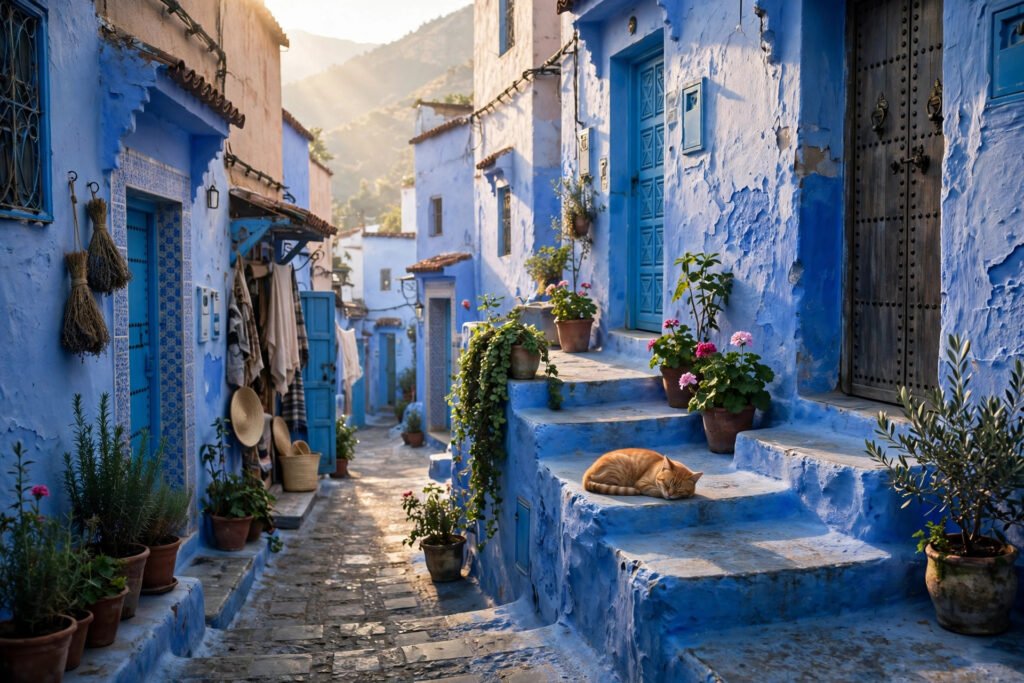
Chefchaouen is the blue-washed town tucked into the Rif mountains of northern Morocco, and it looks like nowhere else on Earth. Almost every wall, door and staircase in its compact medina is painted blue — turquoise, cobalt, navy and powder blue in the same alleyway — climbing the hillside below two peaks. The town was founded in 1471 as a fortress against Portuguese raids, and Sephardic Jews who settled here painted their homes blue, a colour that in Jewish tradition represents heaven. That is why it photographs so well from every angle, and with the right Chefchaouen AI video prompts, you can recreate that blue dream without ever boarding a bus from Tangier or Fes.
These Chefchaouen AI video prompts are built for tools like Runway, Pika, Sora, Kling and Luma. Each one is copy-paste ready, written with the camera movement, lighting and mood that AI video generators respond to best. Use them for travel Reels, YouTube Shorts, mood films, or as b-roll for a longer Morocco travel video. You do not need a plane ticket or a film crew — just a good prompt and a clear picture of the scene you want.
In this post you will find four complete Chefchaouen AI video prompts covering the town’s most cinematic moments: the blue lanes of the medina in the morning, the kasbah square of Plaza Outa el Hammam, the sunset panorama from the Spanish Mosque hill, and the mountain spring of Ras el Maa. Each prompt comes with an image-prompt idea so you can generate a matching still first, then animate it. If you are planning a real trip as well, the Hostelworld Chefchaouen city guide is a solid starting point for the places behind these scenes.
Table of Contents
- What Are Chefchaouen AI Video Prompts?
- Prompt 1: The Blue Medina Lanes in the Morning
- Prompt 2: Plaza Outa el Hammam and the Kasbah
- Prompt 3: Sunset from the Spanish Mosque Hill
- Prompt 4: The Ras el Maa Spring
- Watch: 10 Best Things to Do in Chefchaouen
- Tips for Better Chefchaouen AI Videos
- FAQs
- Conclusion
What Are Chefchaouen AI Video Prompts?
Chefchaouen AI video prompts are short, detailed text instructions you feed into an AI video generator to create moving footage of Chefchaouen. A good prompt describes the place, the camera movement, the light, the people and the mood — because the generator can only show what you describe. “Blue city Morocco” will give you something generic. “Slow tracking shot through a steep blue-painted lane in Chefchaouen, potted plants on the steps, soft morning light, a cat on a blue doorstep” will give you something that actually looks like Chefchaouen.
The four prompts below follow a simple formula that works across most AI video tools: subject first, then camera movement, then lighting and atmosphere, then style. Keep the prompt under 100 words, name the location precisely, and add one clear camera instruction such as “slow push-in”, “tracking shot” or “aerial drone shot”. That single camera direction is what separates a flat slideshow from a video that feels filmed.
Prompt 1: The Blue Medina Lanes in the Morning
The blue medina is the number one reason people visit Chefchaouen, and it is the most photogenic cityscape in Morocco. The prettiest lanes are in the upper medina, in the Souika and Sebbanine quarters around Ras el Maa, where the blue is deepest and the stairways are lined with potted plants. Go early, before 9 am, if you want the lanes without crowds — and in your AI video, morning light is what makes the blue glow instead of looking flat. This is the single most recognisable Chefchaouen scene, and it makes a perfect opening shot for any travel video.
Copy-paste prompt:
“Slow cinematic tracking shot moving through a steep narrow lane in the blue medina of Chefchaouen, Morocco, walls and doors painted in shades of turquoise and cobalt blue, potted plants on blue steps, soft golden morning light, a cat sitting on a blue doorstep, peaceful and dreamlike, photorealistic, 4K travel film style.”
Image-prompt idea: “Photograph of a steep narrow lane in the blue medina of Chefchaouen, Morocco, walls and doors in shades of turquoise and cobalt blue, potted plants on blue steps, soft golden morning light.”
How to use it: This works best as your opening clip — 5 to 8 seconds, no text on screen, just the blue and the light. If your generator supports it, use a slow tracking move downhill rather than a zoom, so one shade of blue after another reveals itself. Pair it with soft oud music or the sound of distant birds. Remember this is a real town where people live: ask before photographing people, and do not climb on steps or plant pots for a shot. If you want the same blue-city formula for another Moroccan city, our Marrakech AI video prompts use it for the medina and the souks.
Prompt 2: Plaza Outa el Hammam and the Kasbah
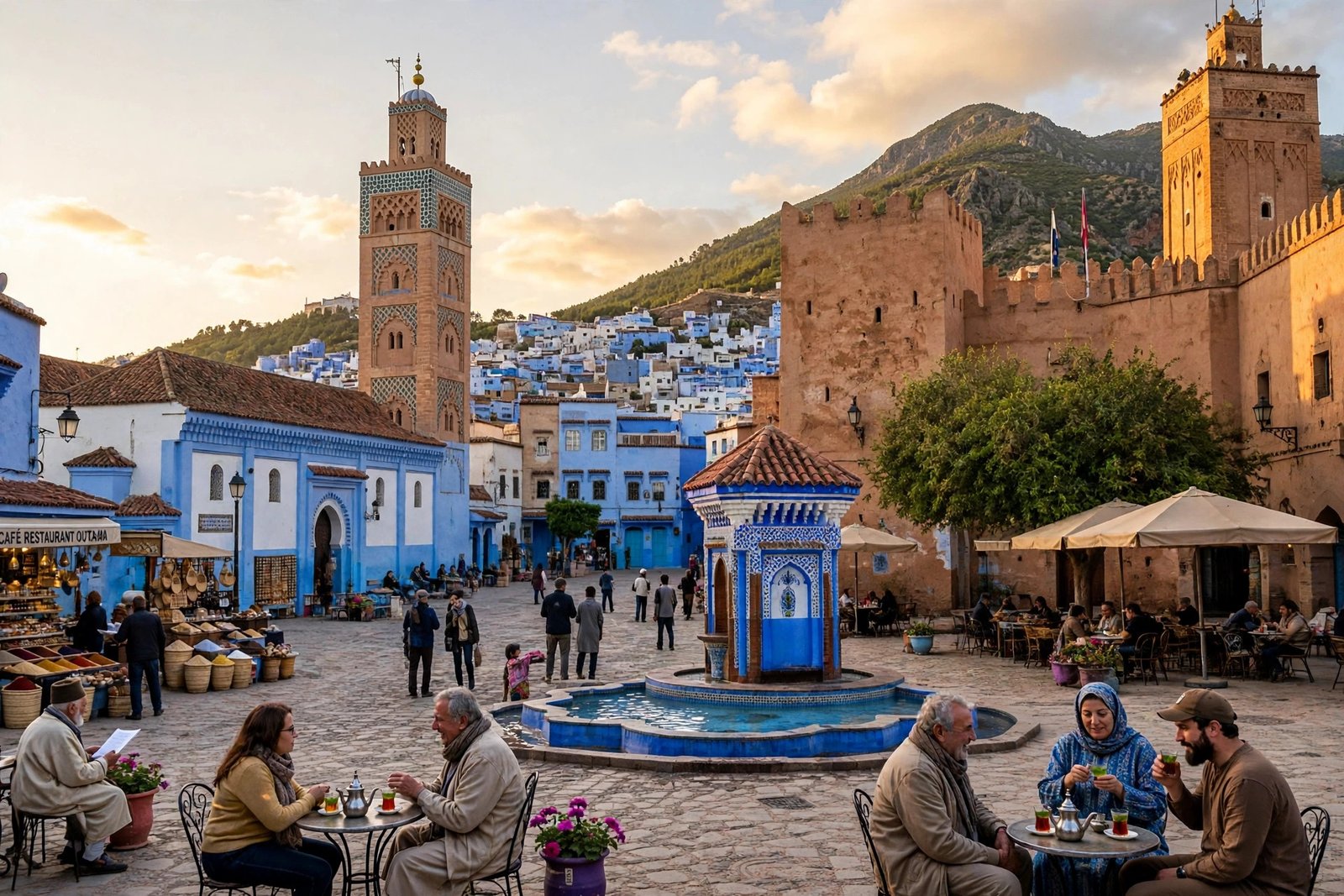
Place Outa el Hammam is the cobbled main square of Chefchaouen and the centre of everything. The 15th-century kasbah stands on one side, with a small ethnographic museum and a garden, and you can climb its watchtower for a view over the rooftops. The Grand Mosque with its unusual octagonal minaret stands next door, and a ring of cafés fills the square with mint tea and people-watching. It is the most social shot in the town — and one of the easiest for AI video to get right, because the composition is so simple: square, kasbah, mosque, cafés.
Copy-paste prompt:
“Cinematic wide shot of Plaza Outa el Hammam main square in Chefchaouen, Morocco, the historic kasbah fortress and the Grand Mosque with its octagonal minaret, cafe terraces with people drinking mint tea, blue painted buildings around the square, warm afternoon light, lively and charming, photorealistic, 4K travel film.”
Image-prompt idea: “Photograph of Plaza Outa el Hammam main square in Chefchaouen, Morocco, historic kasbah and Grand Mosque with octagonal minaret, cafe terraces, blue painted buildings, warm afternoon light.”
How to use it: Use a wide, mostly static camera and let the people provide the motion — a waiter crossing the square, steam rising from a glass of mint tea. Keep the clip short — 4 to 6 seconds — and cut it right after the movement peaks. This is also a great clip to pair with a voiceover about the town’s history: founded in 1471, filled with Muslim and Jewish refugees from Al-Andalus after the fall of Granada in 1492. For another historic square in the same series, see our Cairo Pyramids AI video prompts.
Prompt 3: Sunset from the Spanish Mosque Hill
The Spanish Mosque — officially the Bouzafer Mosque, a Spanish-era ruin that was never completed — sits on the hill above the medina, and the 20 to 25-minute hike up from Plaza Outa el Hammam gives you the best view in all of Chefchaouen: the whole blue town spread across the hillside, framed by the twin peaks of the Rif. Sunset is the popular time, but sunrise is better — better light, nobody queuing — and AI generators handle the panorama beautifully because the palette is so simple and bold: blue town, green mountains, orange sky.
Copy-paste prompt:
“Breathtaking wide panoramic shot of Chefchaouen blue city in Morocco seen from the Spanish Mosque hill at sunset, the whole blue medina cascading down the hillside, the Rif mountains behind, warm orange and pink sky, a ruined white mosque in the foreground, awe-inspiring and cinematic, photorealistic, 4K travel film.”
Image-prompt idea: “Panoramic photograph of Chefchaouen blue city in Morocco at sunset seen from the Spanish Mosque hill, the blue medina cascading down the hillside, Rif mountains behind, warm orange and pink sky.”
How to use it: End your video here and hold the shot for a full 8 seconds — the panorama earns the time. Fade your channel name or a “Save this for your Morocco trip” overlay in slowly over the last three seconds. If the generator offers a slow zoom-out, use it: starting tight on the blue rooftops and pulling back to reveal the whole valley is the most satisfying ending this video can have.

Prompt 4: The Ras el Maa Spring
Ras el Maa is the spring at the eastern edge of the medina, where the river runs down from the mountains and local women still wash clothes in the stone basins. It is the quietest, most local scene in Chefchaouen — water, stone, blue walls and green plants — and the start of the path up to the Spanish Mosque. It is also the most forgiving scene for AI video, because the landscape is simple and the moving water gives the generator natural motion to work with.
Copy-paste prompt:
“Peaceful cinematic shot of the Ras el Maa mountain spring in Chefchaouen, Morocco, clear water flowing over stone steps and basins at the edge of the blue medina, blue painted walls and green plants around, soft morning light, gentle and serene, photorealistic, 4K travel film.”
Image-prompt idea: “Photograph of the Ras el Maa spring in Chefchaouen, Morocco, clear mountain water flowing over stone steps and basins, blue painted walls and green plants, soft morning light.”
How to use it: Use this as your calm moment — place it between two busy clips to give the viewer a breath. Keep the camera almost still and let the water move. Be respectful in your caption: this is where local women do their laundry in the mornings, so photograph the place, not the people, and keep your distance. If you like water-and-mountain scenes, our Bali rice terraces AI video prompts cover rivers, terraces and jungle water in the same style.

Watch: 10 Best Things to Do in Chefchaouen
World Nomac’s walk-through covers the ten best things to do in Chefchaouen in the order he did them — the blue medina, the food, the kasbah and the square, Ras el Maa, the souks and the hike to the Spanish Mosque — with real footage of every place in these prompts. Watch it before generating your video to get the geography of the town right.
Embed: https://www.youtube.com/embed/gWKT-CmTmio
Tips for Better Chefchaouen AI Videos
First, name the shades of blue. “Blue city” alone is vague; “turquoise, cobalt and powder blue walls” gives the generator a real palette to work with. Second, always include one camera direction — tracking, push-in or slow orbit — because movement is what makes AI video feel like video. Third, specify morning light. The medina between 7 am and 10 am is quieter, softer and genuinely lovely, and the blue glows in the soft light instead of looking flat.
Fourth, generate the still image first and animate it; the blue-lane still is easy to verify, and a wrong shade of blue is much cheaper to fix as an image than as a video. Fifth, keep clips to 5 to 8 seconds and cut to music. And finally, get the facts right in your captions: Chefchaouen was founded in 1471, there is no train station, and the best months are April to June and September to October. Correct details are what turn a pretty video into one people save. And if you have a second day, take the shared taxi to Akchour — about 45 minutes away — for turquoise pools, waterfalls and the natural rock arch called God’s Bridge in Talassemtane National Park.

FAQs — Chefchaouen AI Video Prompts
1. Can I use these Chefchaouen AI video prompts for free?
Yes, the prompt text is free to copy and use. You will need an AI video tool to generate the footage — Runway, Pika, Kling and Luma all offer free credits, and these prompts work the same on free and paid plans.
2. Which AI video generator works best for Chefchaouen scenes?
Runway and Kling are strong for realistic travel footage, while Pika is good for short social clips. For the most consistent blue, generate a still image first with your favourite image tool, then use image-to-video mode with the prompt above.
3. How long should each Chefchaouen AI video clip be?
Five to eight seconds per clip is ideal. AI video quality drops on longer takes, and short clips cut together to music look far more professional on Reels, TikTok and Shorts.
4. Can I monetise AI-generated Chefchaouen travel videos?
Usually yes, depending on your tool’s licence — most paid plans allow commercial use. Check whether your plan requires attribution, and be honest with viewers that the footage is AI-generated rather than filmed on location.
5. What is the best time of year to show in a Chefchaouen AI video?
Spring (April to June) and autumn (September to October) give the best light and the most comfortable walking weather. Summer is hot and crowded, and the famous blue steps get queues — which is why the morning-light prompts in this post work so well.
6. Is Chefchaouen expensive to visit in real life?
No — it is cheap, even by Moroccan standards. A shoestring day with a dorm bed, local food and no paid activities comes to around €20, and a comfortable day with a private room, restaurant meals and a guided hike rarely tops €100. Most of what you do here — wandering the medina, the Spanish Mosque walk, the hills — is free.
Conclusion
Chefchaouen gives creators the simplest palette in travel video: blue, green and gold. These four Chefchaouen AI video prompts cover that whole arc — the blue lanes in the morning light, the kasbah square in the afternoon, the sunset panorama from the Spanish Mosque hill, and the quiet spring at Ras el Maa — all from your desk. Generate the stills first, animate them short, cut them to music, and you will have a Chefchaouen video that looks like a film crew spent a week in the Rif mountains. Then pick the next Moroccan city and do it again.
Useful resources: Hostelworld — Chefchaouen Travel Guide and ExploraMorocco — Chefchaouen Travel Guide: The Blue City, Honestly.