Florence is a city that fits in a single walk — twenty-five minutes from one side of the historic centre to the other — yet it holds more Renaissance art than almost anywhere else on Earth. Brunelleschi’s dome, Botticelli’s Venus, Michelangelo’s David and the goldsmiths’ shops of the Ponte Vecchio all sit within a few streets of each other. That density is exactly why Florence works so well for AI video: every frame is already composed, you just need the right Florence AI video prompts to recreate it.
These Florence AI video prompts are written for tools like Runway, Pika, Sora, Kling and Luma. Each one is copy-paste ready and built around a single famous location, a clear camera movement and the warm Tuscan light that makes Florence look golden even on a cloudy day. Use them for travel Reels, YouTube Shorts, or as cinematic b-roll in a longer Italy video. You do not need a flight to Tuscany — just a good prompt and a sense of which scene to show first.
Below you will find four complete Florence AI video prompts: the Duomo glowing at sunset, the Ponte Vecchio at dusk, the masterpieces of the Uffizi Gallery, and the panoramic view from Piazzale Michelangelo. Each prompt includes an image-prompt idea so you can generate a matching still first and animate it. For the real places behind these scenes, the Fodor’s guide to the best things to do in Florence is an excellent companion.
Table of Contents
- What Are Florence AI Video Prompts?
- Prompt 1: The Duomo at Sunset
- Prompt 2: Ponte Vecchio at Dusk
- Prompt 3: Inside the Uffizi Gallery
- Prompt 4: Panorama from Piazzale Michelangelo
- Watch: Florence in 1–2 Days
- Tips for Better Florence AI Videos
- FAQs
- Conclusion
What Are Florence AI Video Prompts?
Florence AI video prompts are detailed text instructions that tell an AI video generator exactly what Florence scene to create. A vague prompt like “Florence Italy” produces a generic European street. A precise prompt — naming the Duomo, the camera movement, the golden-hour light and the terracotta rooftops — produces footage that viewers instantly recognise as Florence.
The formula behind all four prompts below is simple: one location, one camera move, one time of day, one mood. “Slow aerial push-in over the Duomo at sunset” works because each word does a job. The location anchors the scene, the camera move creates motion, the time of day sets the colour, and the mood word — cinematic, peaceful, romantic — tells the generator how the shot should feel. Keep prompts under 100 words and avoid stuffing in five locations at once; AI video handles one clear scene far better than a tour of the whole city in a single clip.
Prompt 1: The Duomo at Sunset
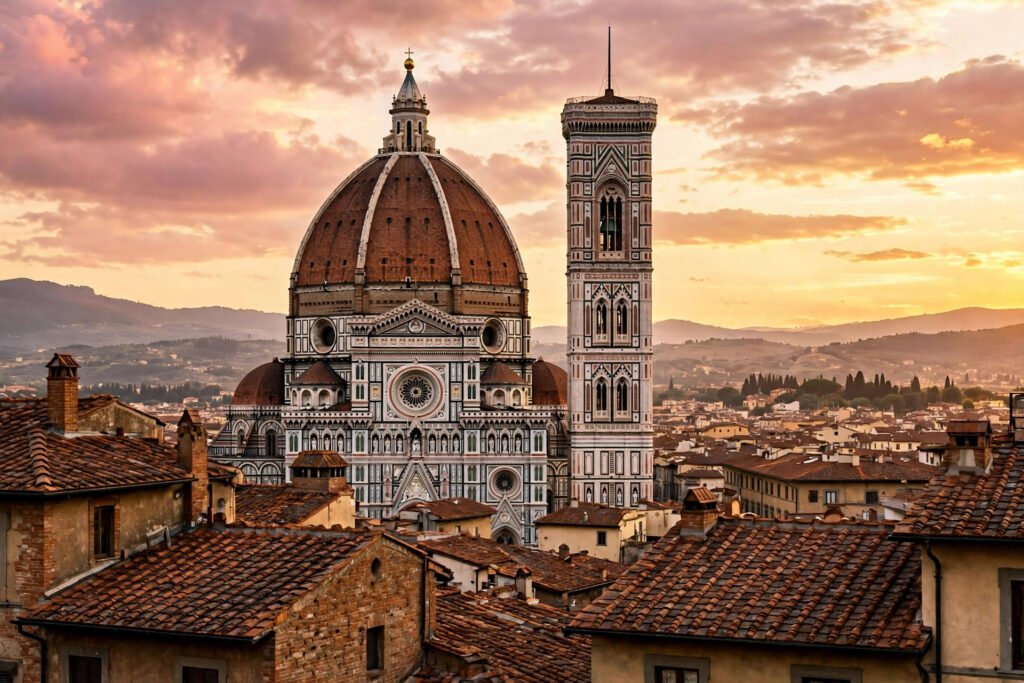
The Cathedral of Santa Maria del Fiore — the Duomo — is Florence. Brunelleschi’s dome, finished in 1436, is still the largest masonry dome ever built, and its red tiles against the white, green and pink marble of the cathedral make it one of the most recognisable skylines in Europe. Climbing it takes 463 steps with no lift, but your AI video can float straight to the top.
Copy-paste prompt:
“Slow cinematic aerial shot circling the Florence Cathedral Duomo at golden sunset, Brunelleschi’s red-tiled dome glowing in warm light, Giotto’s bell tower beside it, terracotta rooftops spreading below, soft pink and gold sky over Tuscany, peaceful and majestic, photorealistic, 4K travel film style.”
Image-prompt idea: “Cinematic photograph of Florence Cathedral Duomo with Brunelleschi’s dome at golden sunset, terracotta rooftops in the foreground, Giotto’s bell tower beside it, warm pink and gold sky.”
How to use it: Open your video with this shot and hold it for 6 to 8 seconds. An orbiting or circling camera move works best for domes and towers because it shows the building in three dimensions instead of flattening it. Add a simple text overlay — “Florence, Italy” — only after the first two seconds, so the image lands first. If you want the same treatment for another Italian icon, our Rome AI video prompts use the same circling formula for the Colosseum and St Peter’s.
Prompt 2: Ponte Vecchio at Dusk
The Ponte Vecchio is the oldest bridge in Florence, dating back to the 14th century, and the only one the retreating German army left standing in 1944. Its row of goldsmiths’ and jewellers’ shops seems to float above the Arno, and at dusk the shop lights reflect on the water while the sky turns blue. It is the most romantic shot in the city — and one of the easiest for AI video to get right, because the composition is so simple: bridge, river, reflection.
Copy-paste prompt:
“Cinematic low-angle shot of the Ponte Vecchio bridge over the Arno River in Florence at dusk, medieval jewellery shops glowing warm gold along the bridge, soft reflections shimmering on the dark river, deep blue evening sky, a few lights flickering on, romantic and timeless, photorealistic, 4K travel film.”
Image-prompt idea: “Photograph of the medieval Ponte Vecchio bridge over the Arno River in Florence at dusk, jewellery shops glowing warm along the bridge, reflections on the river, soft blue evening light.”
How to use it: Keep the camera low and close to the water so the reflection fills the lower half of the frame — that is what makes this shot feel expensive. Use it as the second clip in your video, right after the Duomo, to move the story from the skyline down to the river. A gentle piece of piano or strings fits the mood far better than an upbeat travel track. For another canal-and-bridge city in the same series, see our Venice canals and gondola AI video prompts.

Prompt 3: Inside the Uffizi Gallery
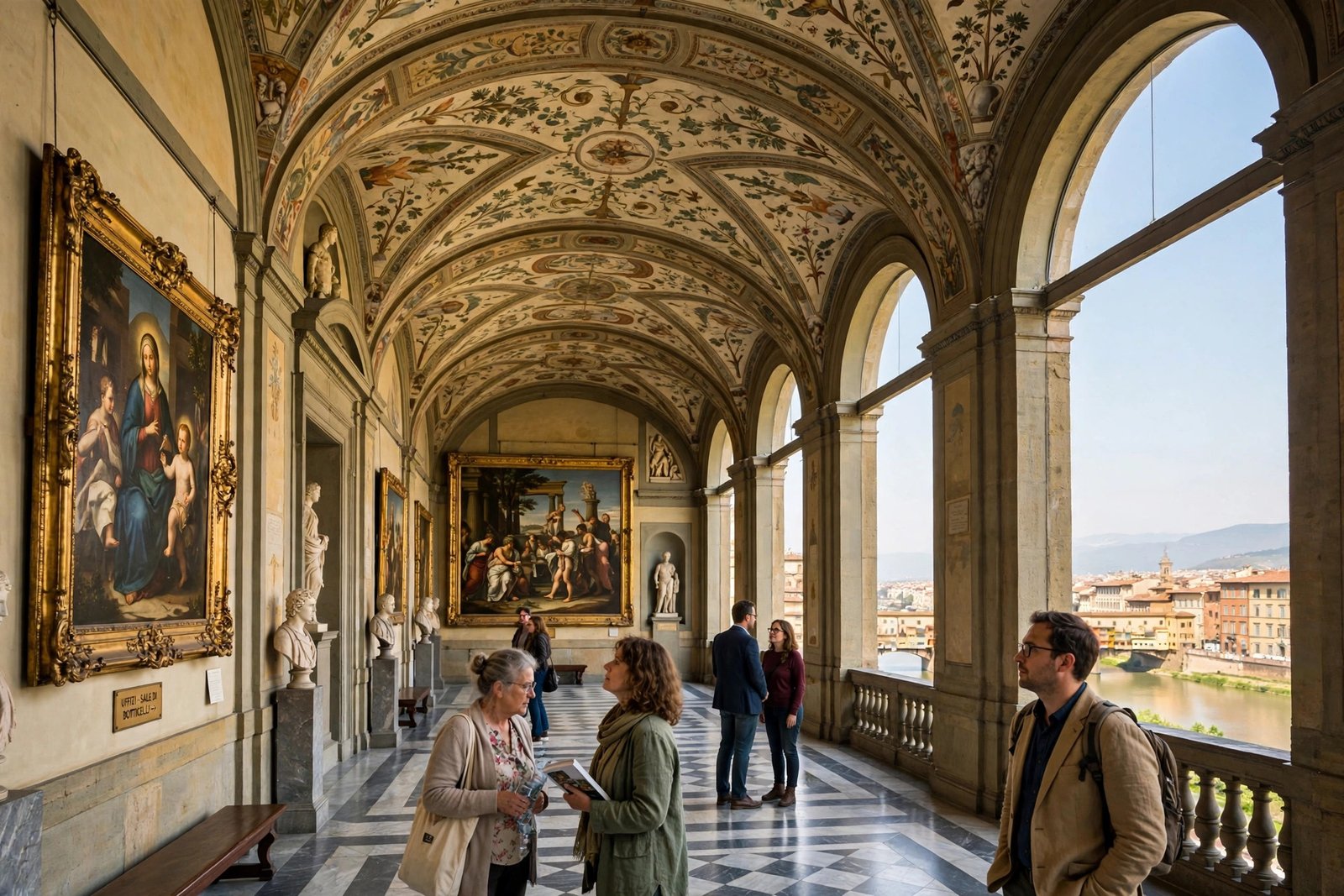
The Uffizi is one of the greatest art museums in the world. Built in the 16th century as government offices for Cosimo I de’ Medici — “uffizi” literally means offices — it now holds Botticelli’s Birth of Venus and Primavera, Leonardo’s Annunciation, Michelangelo’s Doni Tondo and Caravaggio’s Medusa. Filming inside is restricted, which is exactly why AI video is so useful here: you can create the feeling of walking those long, light-filled corridors without ever joining the queue.
Copy-paste prompt:
“Slow cinematic tracking shot gliding through a grand Renaissance art gallery like the Uffizi in Florence, visitors quietly admiring large classical paintings in gilded frames, soft daylight streaming through tall arched windows overlooking the Arno River, polished marble floors, reverent and elegant atmosphere, photorealistic, 4K travel film.”
Image-prompt idea: “Photograph inside a grand Renaissance art gallery like the Uffizi in Florence, visitors admiring large classical paintings in gilded frames, arched windows with soft daylight over the Arno, marble floors.”
How to use it: Use a slow tracking movement and keep people small in the frame — the paintings and the architecture should dominate. This clip works best in the middle of a video, as a change of pace after two outdoor scenes. Avoid naming a specific painting in the prompt; AI generators mangle famous artworks, but they render “large classical painting in a gilded frame” beautifully. If you want museum scenes from another city, our Paris AI video prompts include a Louvre-style gallery shot built the same way.
Prompt 4: Panorama from Piazzale Michelangelo
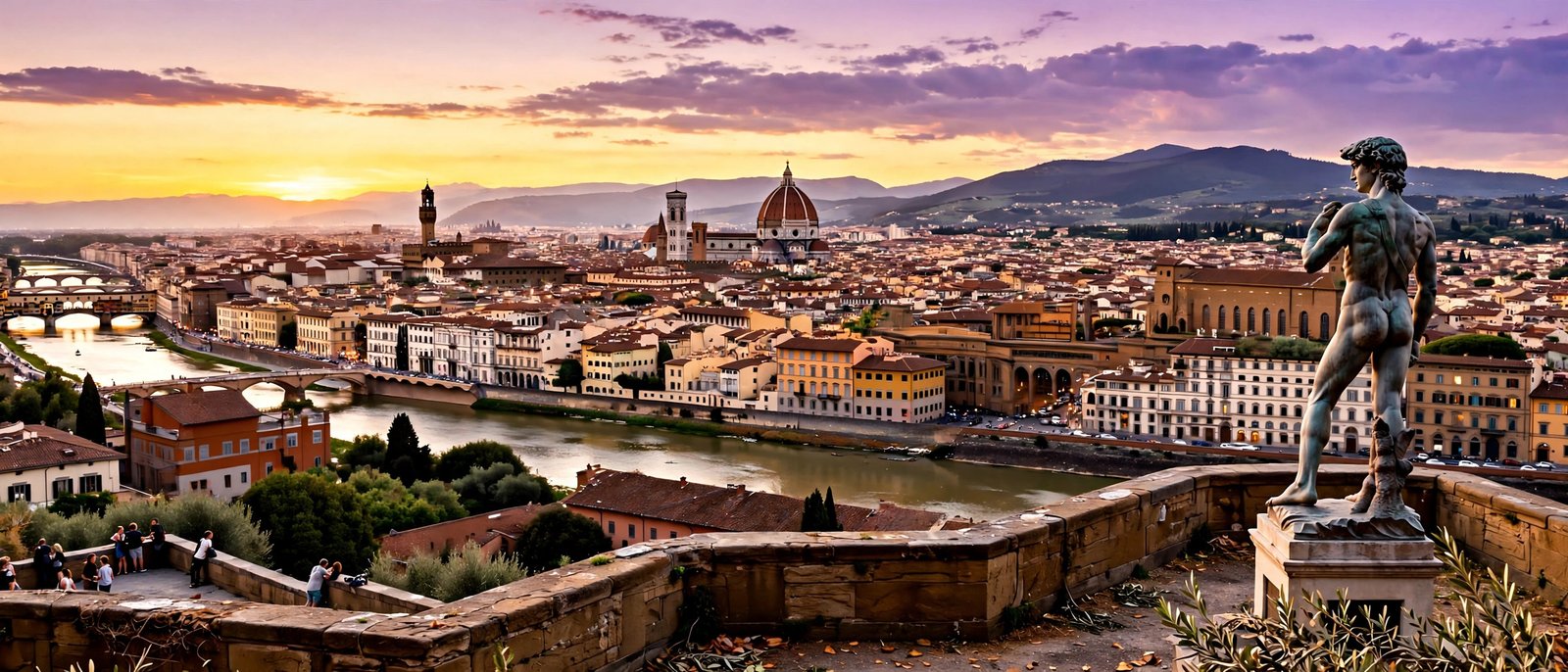
Every Florence postcard is taken from Piazzale Michelangelo, the terrace across the river that looks back over the whole city — the Duomo, the tower of Palazzo Vecchio, the Arno and the terracotta sea of rooftops. At sunset the view turns gold, and the Rose Garden on the way up adds colour in spring and summer. It is the natural closing shot for a Florence video, because it shows everything at once.
Copy-paste prompt:
“Breathtaking wide panoramic shot of Florence seen from Piazzale Michelangelo at sunset, the Duomo and terracotta rooftops spread below, the Arno River winding through the city, warm golden light and soft purple sky, a bronze statue silhouette in the foreground, awe-inspiring and cinematic, photorealistic, 4K travel film.”
Image-prompt idea: “Panoramic photograph of Florence seen from Piazzale Michelangelo at sunset, the Duomo and terracotta rooftops spread below, the Arno River winding through the city, golden light and soft purple sky.”
How to use it: End your video here and hold the shot for a full 8 seconds — the panorama earns the time. Fade your channel name or a “Save this for your Italy trip” overlay in slowly over the last three seconds. If the generator offers a slow zoom-out, use it: starting tight on the Duomo and pulling back to reveal the whole city is the most satisfying ending this video can have.
Watch: Florence in 1–2 Days
This recent guide covers Florence in one or two days — Ponte Vecchio, the Duomo, the Uffizi, the Accademia and David, the Boboli Gardens, plus a clever hack for seeing the major Uffizi works without the crowds. Watch it before generating your video to get the geography of the city right.
Tips for Better Florence AI Videos
First, always specify golden hour or sunset. Florence’s magic is its warm light on red rooftops and pale stone; midday prompts come out flat and white. Second, use one landmark per clip — the Duomo, the bridge, the gallery, the panorama — and let the edit do the touring, not the prompt. Third, keep people small and in the background. AI generators still struggle with faces and hands, but a tiny figure on a terrace or in a gallery adds scale without risking a distorted close-up.
Fourth, generate the still image first and animate it. The Duomo still is easy to check — if the dome looks wrong, fix the image before spending video credits. Fifth, remember the real details when you caption your video: the dome climb is 463 steps, the cathedral entry is free while the dome climb needs a timed Brunelleschi Pass, and the Uffizi should always be booked in advance. Correct details make your video useful, not just pretty, and useful videos get saved and shared.
FAQs — Florence AI Video Prompts
1. Can I use these Florence AI video prompts for commercial projects?
The prompt text is free to use. Whether the generated video can be used commercially depends on your AI tool’s licence — most paid plans allow commercial use, while some free plans require attribution. Check your tool’s terms before selling or monetising the footage.
2. Which AI video tool is best for Florence architecture?
Runway and Kling handle architecture and slow camera moves well, which suits the Duomo and Ponte Vecchio. Pika is better for short, punchy social clips. For the most accurate buildings, generate a still image first and use image-to-video mode.
3. How do I avoid distorted faces in Florence AI videos?
Keep people far from the camera and small in the frame, or leave them out entirely. Wide shots of the Duomo, the river and the panorama look flawless; close-ups of tourists do not. If a scene needs people, describe them as silhouettes or seen from behind.
4. How long should a Florence AI travel video be?
For Reels, Shorts and TikTok, 20 to 40 seconds total works best — four clips of 5 to 8 seconds each. For YouTube, you can extend it with a voiceover and more clips, but keep each individual AI clip short.
5. Can AI video recreate Botticelli’s Birth of Venus accurately?
Not reliably. Famous paintings often come out distorted, so describe the gallery and the gilded frames generally instead of naming a specific artwork. The feeling of the Uffizi matters more than a pixel-perfect Venus.
6. What is the best time to visit Florence in real life?
Spring (April to June) and autumn (September to October) offer mild weather and thinner crowds. The historic centre is compact and walkable — you can cross it in about 25 minutes — so two to three days covers the essentials if you book the Uffizi and Accademia in advance.
Conclusion
Florence is the easiest city in the world to make beautiful — the hard part is choosing what to show. These four Florence AI video prompts give you a complete arc: the Duomo at sunset to open, the Ponte Vecchio at dusk for romance, the Uffizi for art, and the Piazzale Michelangelo panorama to close. Generate the stills first, animate them short, cut them to gentle music, and you will have a Florence video that looks like it took a film crew and a week in Tuscany. Then pick the next Italian city and do it again.
Useful resources: Fodor’s — Best Things to Do in Florence, Italy and Italo — What to See in Florence: Top Attractions, Hidden Gems and Travel Tips.